I am going to continue to make sure all the required software is installed - ElasticSearch, etc
Hi there, I am trying to run the server on localhost:8080 again.
I am using the commands:
docker pull elasticsearch:7.17.15
docker pull geonetwork:4.2docker network create gn-network
docker run -d --name my-es-host --network gn-network -e “discovery.type=single-node” elasticsearch:7.17.15
docker run --name geonetwork-host --network gn-network -e ES_HOST=my-es-host -e ES_PROTOCOL=http -e ES_PORT=9200 -p 8080:8080 geonetwork:4.2
During the process I navigated to the web address and the home page loaded but with error messages on it. As soon as I closed those error messages and attempted to sign in, I got the following error at the web address:
… the server unexpectedly dropped the connection
I am using Docker and I can see that the container is running in Docker Desktop.
Do you have any suggestions ? Am I still going about installing and running the server in the wrong way ?
Maybe you can run me through the correct process if you have time ?
Kindest,
Andrew
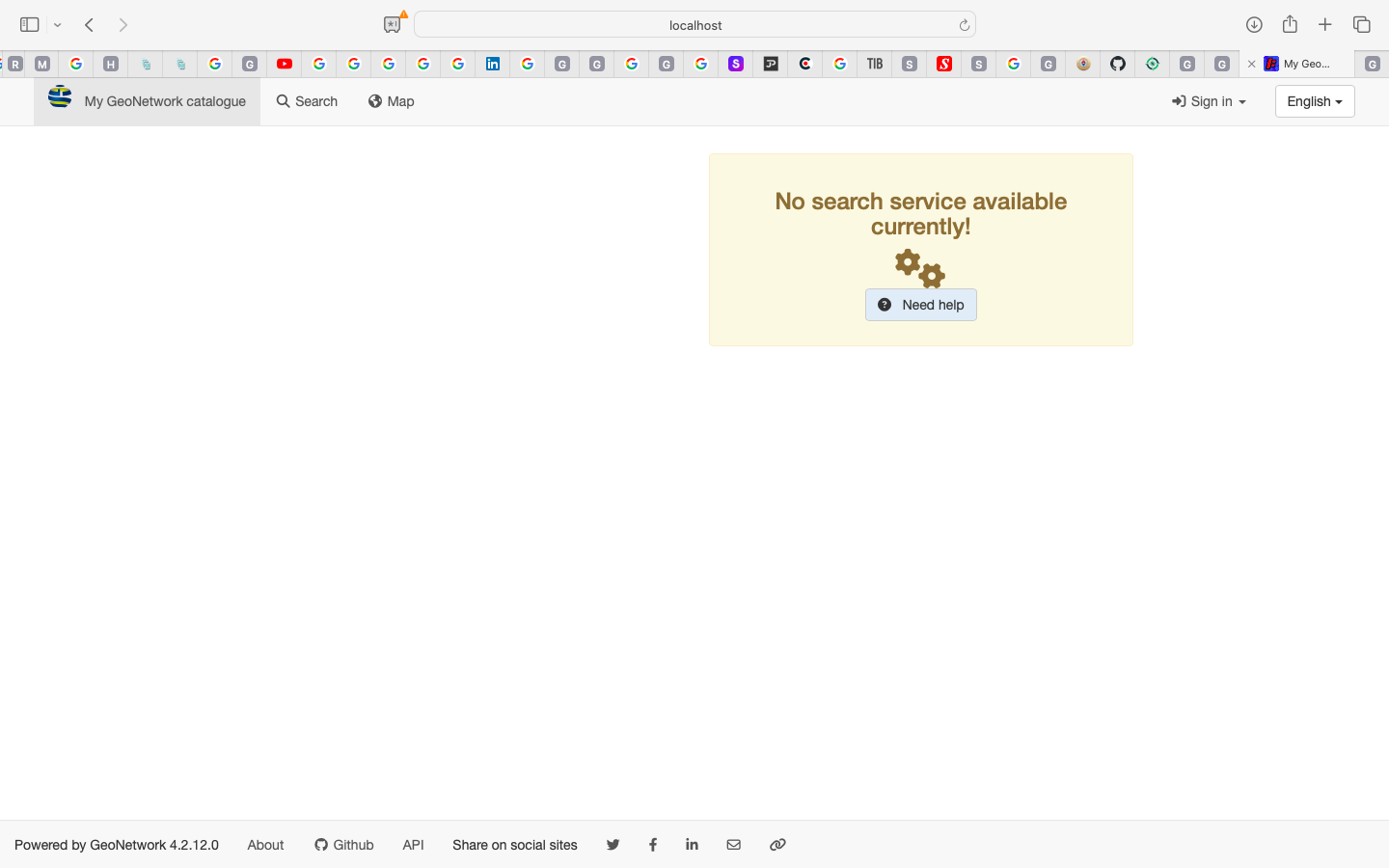
Hi,
This is a screenshot of my browser after I have run the same commands as above in my previous post in Docker Desktop itself.
I am going to refer to the user guide, but does this home page look correct ?
Kindest,
Andrew
Hi,
Sometimes the bootstrap of the index fails.
You can try to reset the index
-
loggin as admin
-
go in admin console / tools / delete index and reindex
I would check twice my index endpoint setting though -
admin console / statistics and status / informations / index section at the bottom
Hope it helps
Best
Hi,
Please see the relevant screenshots below:
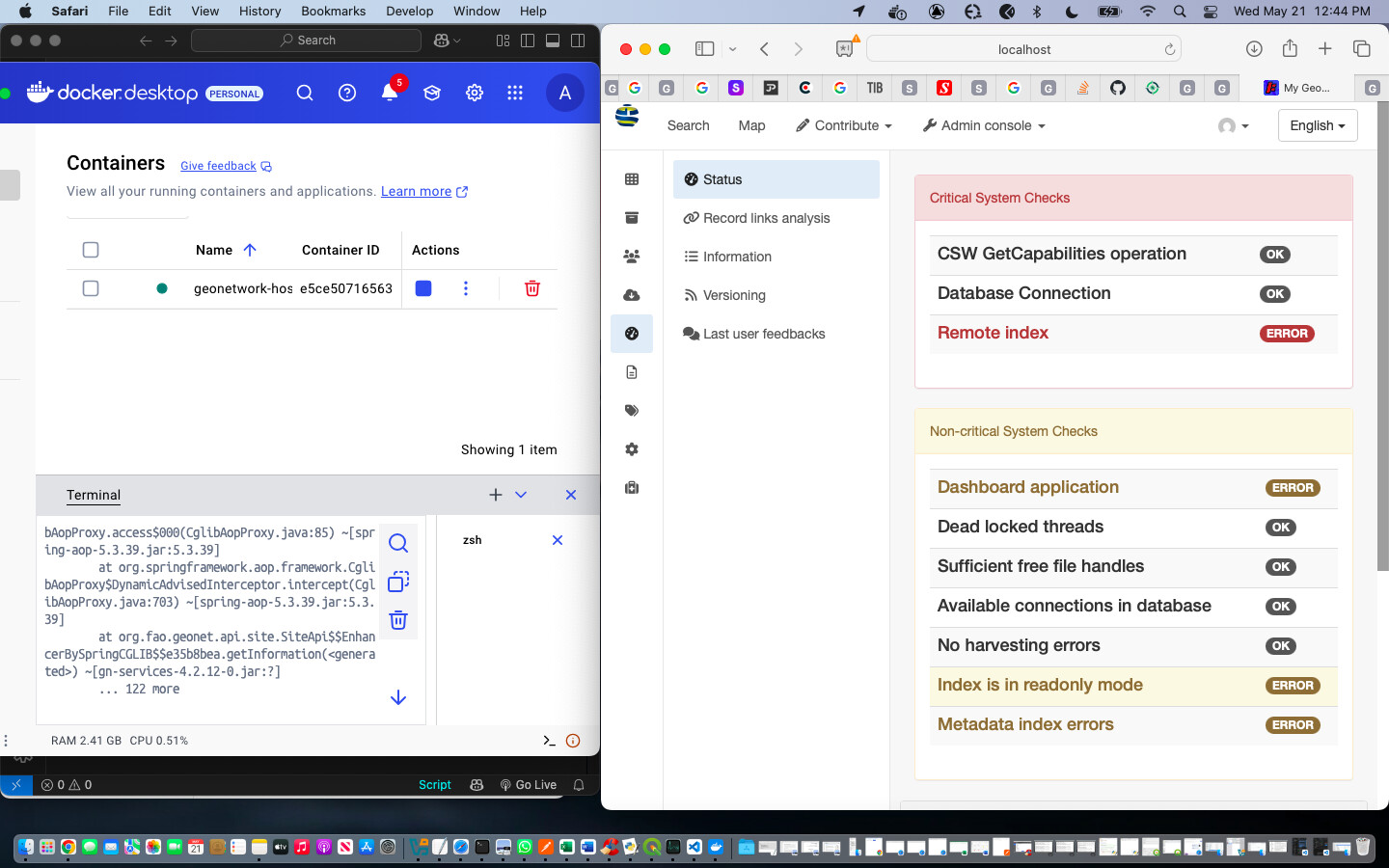
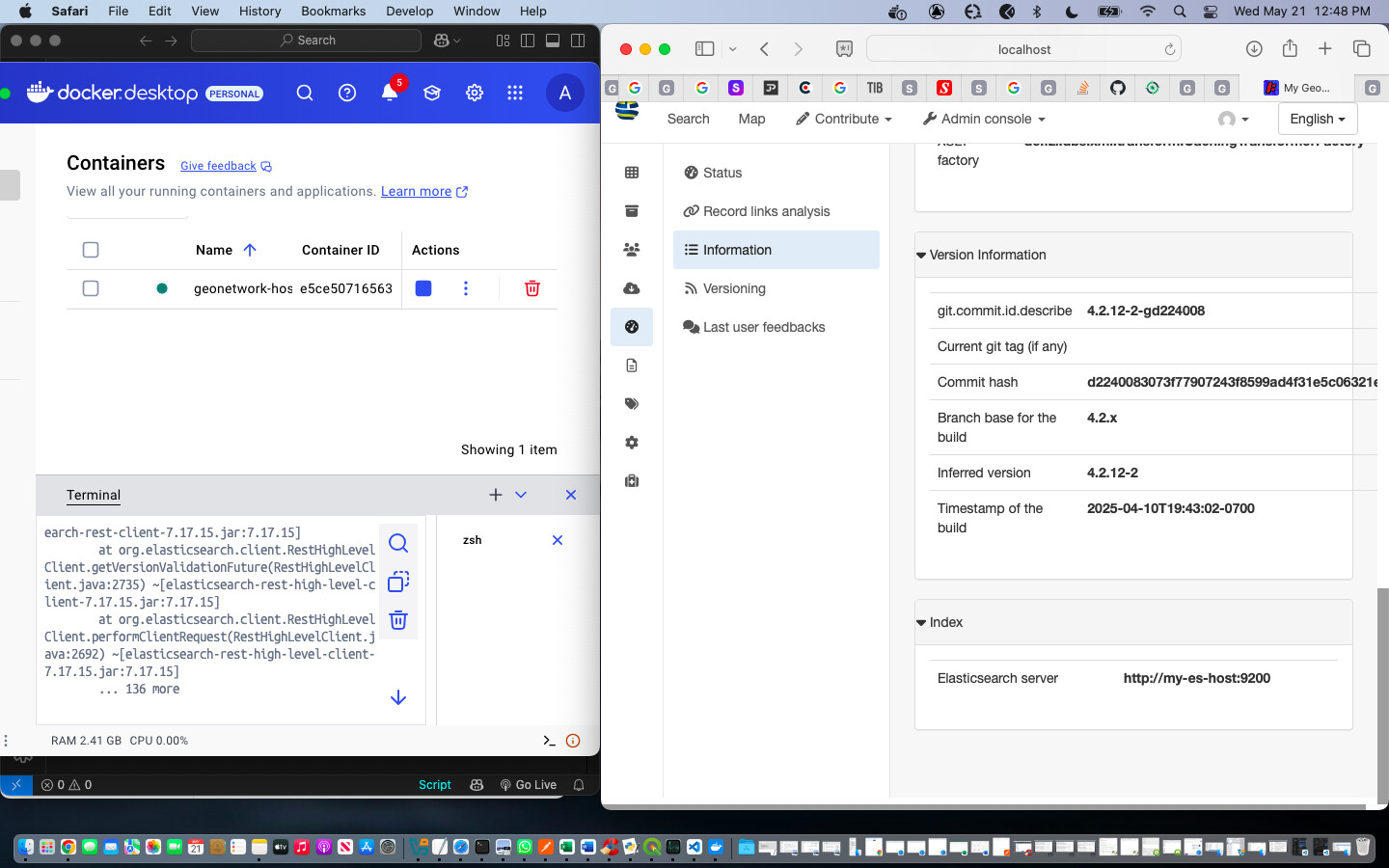
Is elastic search the client / host for the Jetty server ?
If not, there are directories that point to Jetty while the Index information at the bottom refers to an elastic search server.
Andrew
As you can see, there are also all kinds of system checks that have errors ??
Seems there are some issues with your network.
Try to reach your ES image on localhost, do a CURL, test it before running GeoNetwork.
Thanks, I will try that…
2025-05-21 12:41:58.956:INFO:oejs.AbstractConnector:main: Started ServerConnector@1e9caf78{HTTP/1.1, (http/1.1)}{0.0.0.0:8080}
2025-05-21 12:41:58.958:INFO:oejs.Server:main: Started @107549ms
Is the above the type of message I am looking for after running the commands:
docker pull elasticsearch:7.17.15
docker pull geonetwork:4.2docker network create gn-network
docker run -d --name my-es-host --network gn-network -e “discovery.type=single-node” elasticsearch:7.17.15
docker run --name geonetwork-host --network gn-network -e ES_HOST=my-es-host -e ES_PROTOCOL=http -e ES_PORT=9200 -p 8080:8080 geonetwork:4.2
??
You forward the port of your GN container on 8080, so it should run on localhost:8080.
Do the same with your ES container, then you can reach your ES on localhost:4200
You are using the docker network, I am not used to it cause I generally use a docker-compose.
Maybe your ES runs on gn-network:4200 but I don’t think that it runs on my-es-host:4200, it’s just the name of your image
Ok, that is relating to the command I used above.
I will continue to try and test this and get back to you. Thanks again
Hi
To run locally GeoNetwork 4.2.x from the source code you need Java 8 and for GeoNetwork 4.4.x (main branch) you need Java 11.
Usually I build and run GeoNetwork 4.2.x branch:
git clone https://github.com/geonetwork/core-geonetwork
cd core-geonetwork
git checkout 4.2.x
git submodule update --init
mvn -T 1C clean install -DskipTests
cd web
mvn jetty:run
You need to have running Elasticsearch. GeoNetwork provides this docker compose for development: core-geonetwork/es/docker-compose.yml at 4.2.x · geonetwork/core-geonetwork · GitHub
That you can run like this:
cd core-geonetwork/es
docker compose up -d
Hi, I think I went back to installing java 8.
It also makes sense because I think I am essentially hoping to be able to deploy in production and development, and just don’t know the difference. This is starting to give me a clearer idea though.
I will follow on from your post and provide feedback.
Thank you !