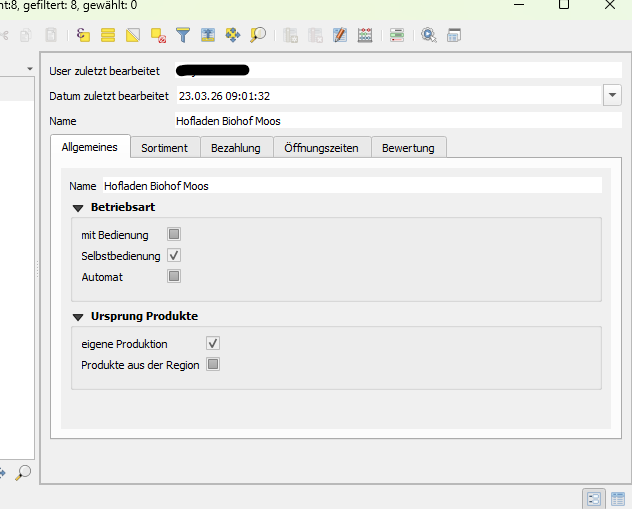
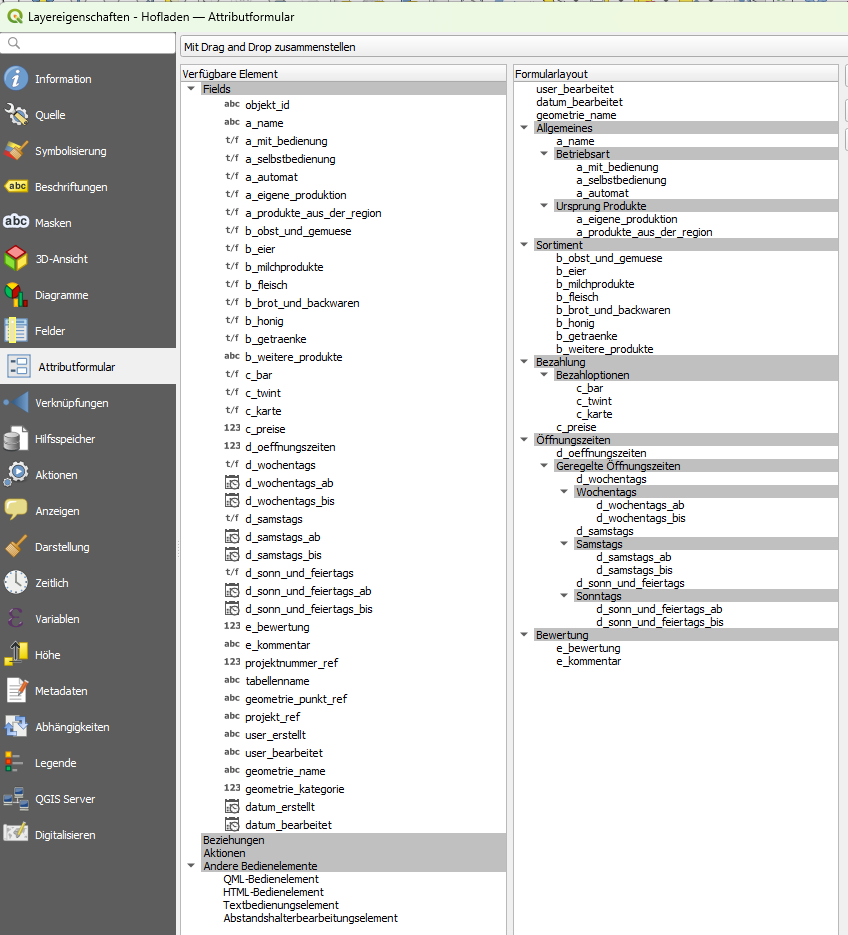
In QGIS we have with the support of styles / .qml file designed the attribute form as follows:
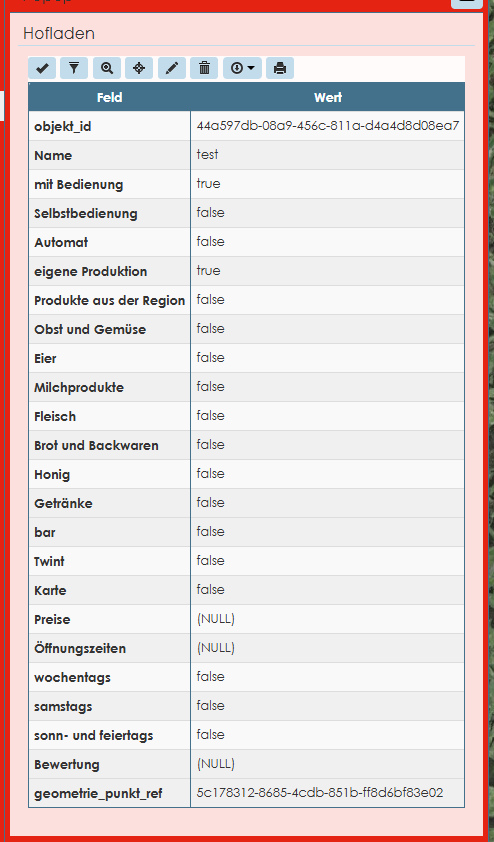
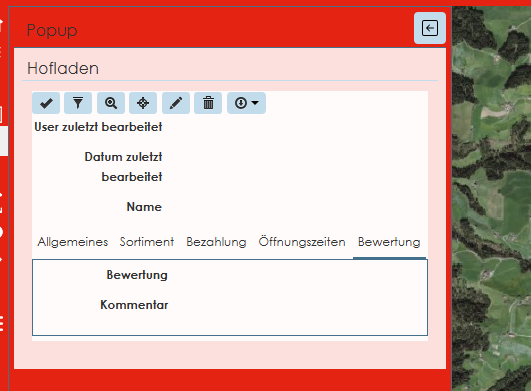
When I click on an object in the Lizmap Webbrowser view I get:
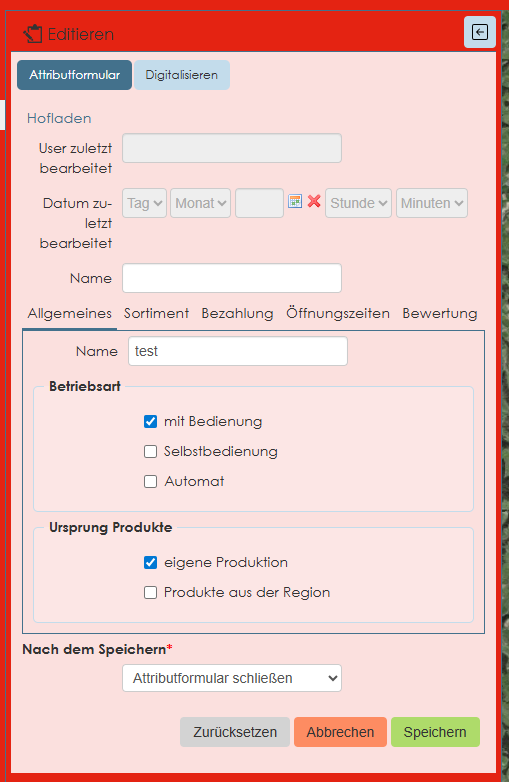
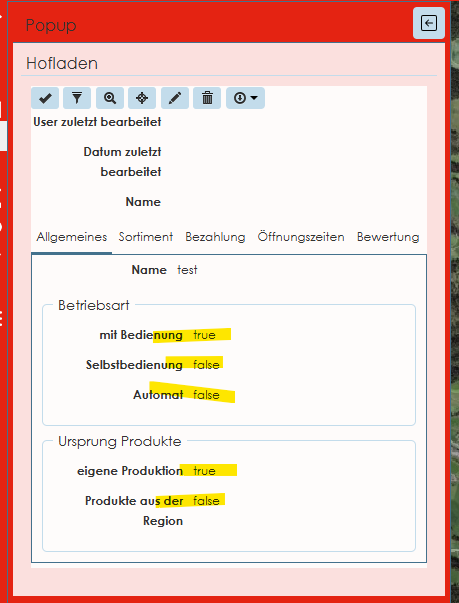
When I enter into the edit mode in the same session I get the layout similar to the previously shown layout in QGIS:
How can I get this view of the attributes (edit mode) as standard view in non-edit mode for all users?
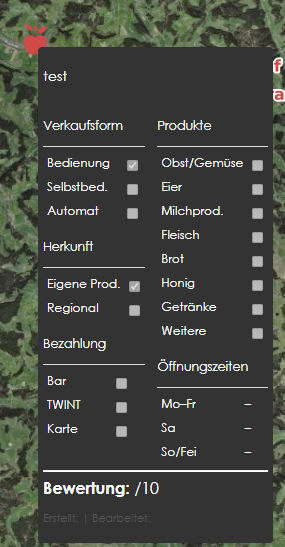
the popup - with hovering over an object - is already designed as follows:
You have to generate the maptip with this option in the lizmap module :
You can read the docs :
Good mornin’ Hans-Jörg,
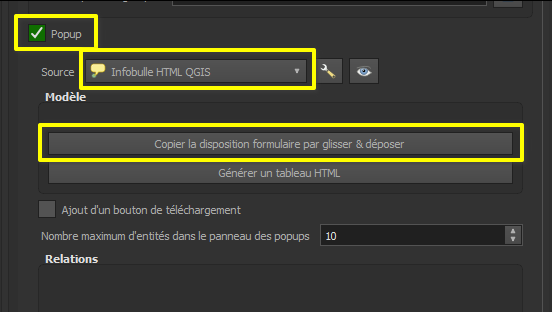
In the Lizmap Plugin, you need to set the Layer’s pop-up to QGIS Drag & Drop Form Popup
The documentation has room for improvement there - in general i suggest to try the different popup options through - for some cases I prefer the Automatic one, for others the Drag& Drop one suits better.
Cheers!
Thanks a lot for the immediate support! It works better now:
but it does not look like in the edit mode:
This is the “normal” (non-edit) view:
This is the view in edit mode:
how can this be fixed?
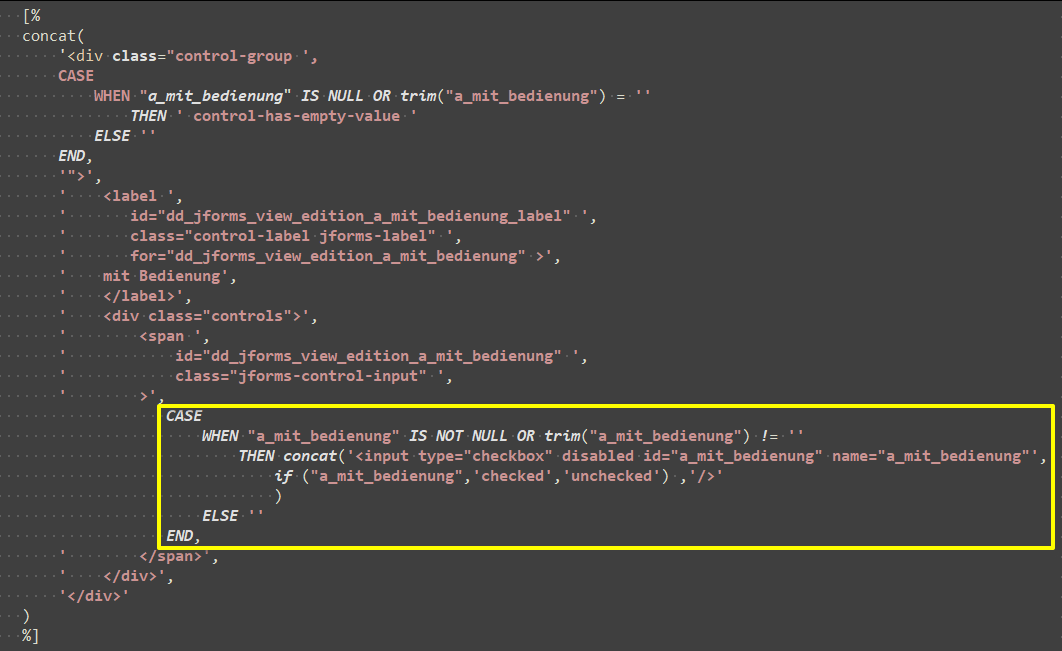
You can modify the HTML code in the maptip using :
<input type="checkbox" id="xxx" name="yyy" value="zzz" />
where you can control the state checked or unchecked.
For example :
[% CASE
WHEN “archive” IS NOT NULL OR trim(“archive”) != ‘’
THEN concat(
‘’, ’ <input type=“checkbox” disabled id=“archive” name=“archive”‘, if (“archive”,‘checked’,‘unchecked’) ,’/> Itinéraire à archiver‘,’’
)
ELSE ‘’
END %]
1 Like
That is actually a nice enhancement proposal for Lizamp - do not show true/false ( the actual saved values of that field) but show a greyed out checkbox in the popup - if you find the time, feel free to open a issue on GitHub, then it can be added in the backlog! 
@Alain-LG :
Sorry to come back – but I am a newbie in Lizmap.
Whereabouts do I have to enter the html code? The Tooltip is already setup and I assume it must be in another place – right? Could you send a screenshot for clarification?
but it seems it IS already implemented: in the edit view it is as I would expect it - but just in the view mode it does not show as expected (with the true/false values instead of the checkboxes). It would just mean: in the view mode show the same layout as with the edit mode just without writing access
Yes, in the edit view, it is already implemented but in the view mode, it’s different because it is the maptip html code which is used.
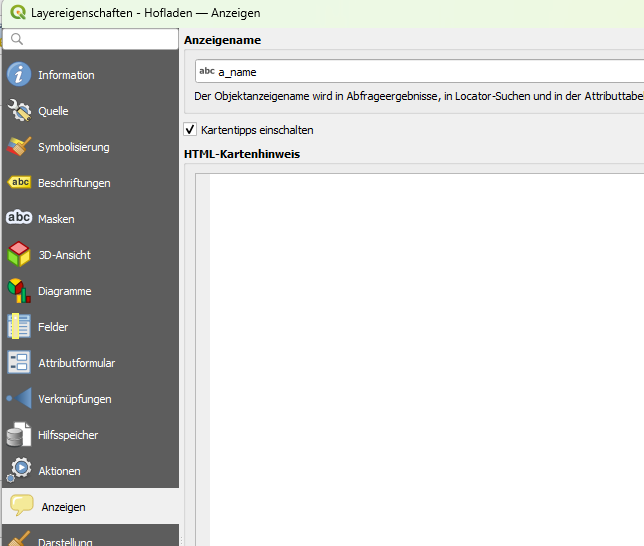
So, you have to open the layer properties > go to the maptip > and modify the HTML code with the example i give you earlier.
Here :
@meyerlor just invite you to open an enhancement proposal to implement this in view mode.
If I went this way I would lose all the nice layout / organisation of the fields in different tabs… so this is no real alternative. I cannot understand why the view mode should be any different or even “worse”/less sophisticated than the edit view ??
No ! You must keep all the nice layout organisation of the fields in different tabs.
You just need to customize a part of the HTML code to change the true/false attribute shown as a text field today by a checkbox…
We are just trying to help you, we can’t justify lizmap code.
If you want, you can send me all your maptip HTML code and i’ll modify it to improve that it’s possible to have the same view with just some adjustements.
1 Like
thanks a lot for the support and help etc.!
Again - I am a freshman with lizmap 
When I go to the settings of the layer I do not have the code of the tabs (which we defined via a qml file) :
like this:
does that make sense / help?
OK. This maptip is empty because you use the layer’s pop-up to QGIS Drag & Drop Form Popup.
If you want to customize this code, as i said in my first answer this morning, you need to use the “Maptip HTML QGIS” popup int Lizmap module, then, click on “copy drag and drop form” and then modify the maptip HTML code.
If you change the layer’s popup in the lizmap plugin to QGIS HTML maptip and then Copy drag n drop form layout it will “convert” your drag n drop layout into html - which enables you to add some custom html to your layout.
Also, as you pointed out this would be nice to have by default in LWC. I can do it maybe this weekend or soonish, but i’ll probably forget about it if it’s only reported here. All code suggestions/bugs etc. are better placed directly in github, that’s where all flows together!
Lorenz, just tell me where to enter the request and I’ll do it on the github! I’m glaod if I can help in this issue!
I added a new issue in github: Attribute View in view / non-edit mode improvement · Issue #6748 · 3liz/lizmap-web-client
1 Like
Very kind of you Alain!
Now I managed to get what you told me to send to you.
but it is a fair amount of text… I tried to upolad it here - and hope it works… thanks a LOT in advance!
lizmap_att_view.html (44.6 KB)
You can test with this code :
lizmap_att_view.html (52.8 KB)
For each boolean field, I change the simple value by a checkbox :
Before :
After :
I think it will be OK.
thanks a lot, Alain!
the looks are ok - but when I click on one of the tabs (“Allgemeines”, “Sortiment”, “Bezahlung” …) nothing changes - in other words: the clicked/selected tab does not open, it remains on the first…
Ohhh ! I have the same problem on all my projects for months but i tought it was from my personnal CSS so i have’nt written any issue ticket.
You can try with this new code :
lizmap_att_view.html (52.5 KB)
And I will open an issue on github to perform this solution.
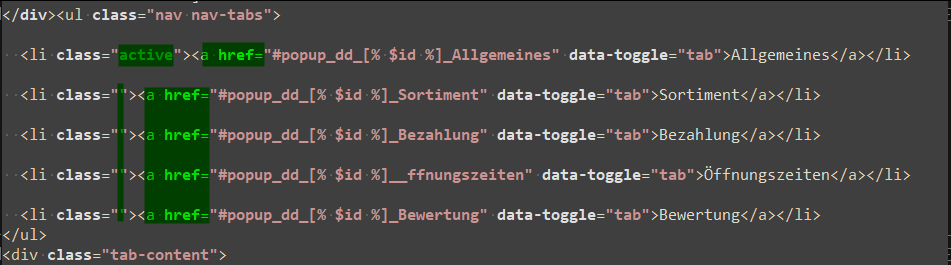
To correct this bug, i have replaced button class=”nav-link” by some link balise “a href” like this :
Before :
After :
fix for the checkbox - popup issue is on the way
I’m working on the not-selectable tabs right now, i ran into that problem as well ages ago and just did not really bother /switched to automatic form view, good of you to raise the issue @Hans-Joerg & @Alain-LG !