could someone please clarify the requirements of the release version of GeoServer 2.28:
Java
The blog post states, that GeoServer is tested with Long Term Support releases: Java 17 LTS and Java 21 LTS. The same is said at the bottom of the Java Considerations page: GeoServer 2.28.x and above supports Java 21 with no additional configuration. But under Use supported JRE on the top of that page it is said that only experimental support for Java 21 is available.
Tomcat
According to the Java Considerations page Tomcat 9 or newer is supported when using Java 21. But the installation manual at the moment only allows Tomcat 9: Warning GeoServer 2 is not compatible with Tomcat 10 or higher, which provides Jakarta EE Servlet API 6. Supporting the Jakarta EE APIs is the goal of GeoServer 3 crowdfunding.
Please also correct the documentation where necessary.
Thanks @dcal I am not sure why that page says Java 21 is experimental only, folks must be cautious (and it is a challenge to hunt down all the docs references).
You can edit the page using the edit link, the result will be a pull request I will be happy to review.
As for Tomcat, only Tomcat 9 is supported. That text was written before tomcat future plans were known I expect.
For what it’s worth, I’ve used tomcat 10 and now tomcat 11 from the current geoserver version and several versions backwards without issue. You just need to read tomcats instructions. There are a couple of options, but deploy to a webapps-javaee directory instead of the normal webapps directory and voila, in about a minute tomcat will do the migration for you. This has enabled me to be on Java 21 and tomcat 10+ for a while now on my deployment.
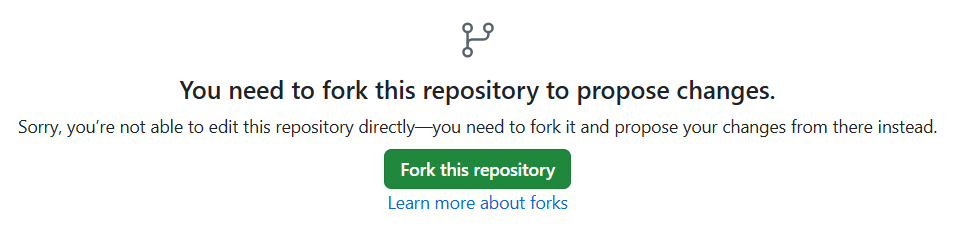
I tried to use the Quickfix guide to remove or newer from Tomcat 9. But when I’m clicking the edit icon, I’m immediately asked to fork the repository. That then doesn’t seem to be a quick fix anymore. Am I missing something?
I think you need to be signed in, but I did not expect you to need to make fork.
Although I guess it wants you to make a fork so you have the option of making a pull request with the change.
So the “quick” in this case means you can do it all from the web browser, rather than needing to do work from your computer. Indeed when the PR is made there is an automation to ensure the docs still build etc…
Hey Daniel, thank you for trying. Yes, as per point 5 on Quickfix — GeoServer 3.0.x Documentation Guide , you need to make a fork in order to make a PR. But that is a quick and painless process, isn’t it? And you can discard it or delete it later, or keep it around, to get more involved in future.
But I really appreciate you trying to edit the file!