I’ve been trying the options that Andrea Aime has suggested, but I haven’t been able to get it to work, so I’ll make one last attempt in case someone can help me.
The problem
I need to create in GeoServer (I’ve tried with 2.20.2 and 2.21.2 versions) a mosaic with COG images stored in a private Google Cloud Storage bucket, but I can’t. The problem seems to be that GeoServer is not receiving the credentials to read COG files.
What I’ve done without success
· Create an environment variable (GOOGLE_APPLICATION_CREDENTIALS) pointing to a service account file (JSON) generated in Google.
· Generate in Google an user account key and defining two environment variables: GS_ACCESS_KEY_ID (with value: user account access key value) and GS_SECRET_ACCESS_KEY (with value: user account secret key).
· Editing mosaic.properties and adding user account Access key and Secret key, although documentation states that it can not be used with Google:
o CogUser=AccessKeyID
o CogPassword=SecretAccessKey
· Create the following element in the WEB-INF/web.xml
GOOGLE_APPLICATION_CREDENTIALS
D:\Proyectos\BDN\EIKOS\Imagenes\sit-oh-47521e2152f6.json
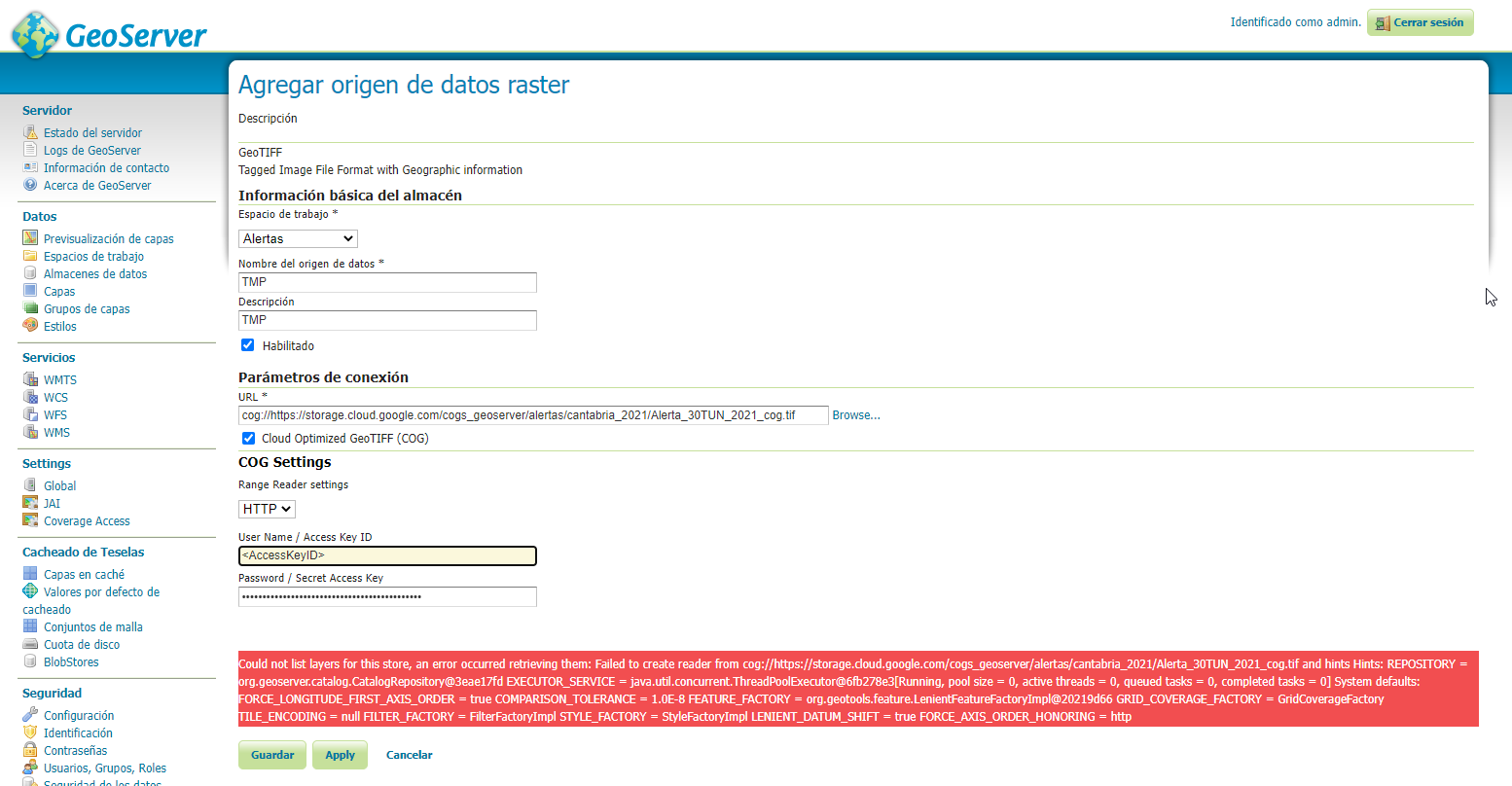
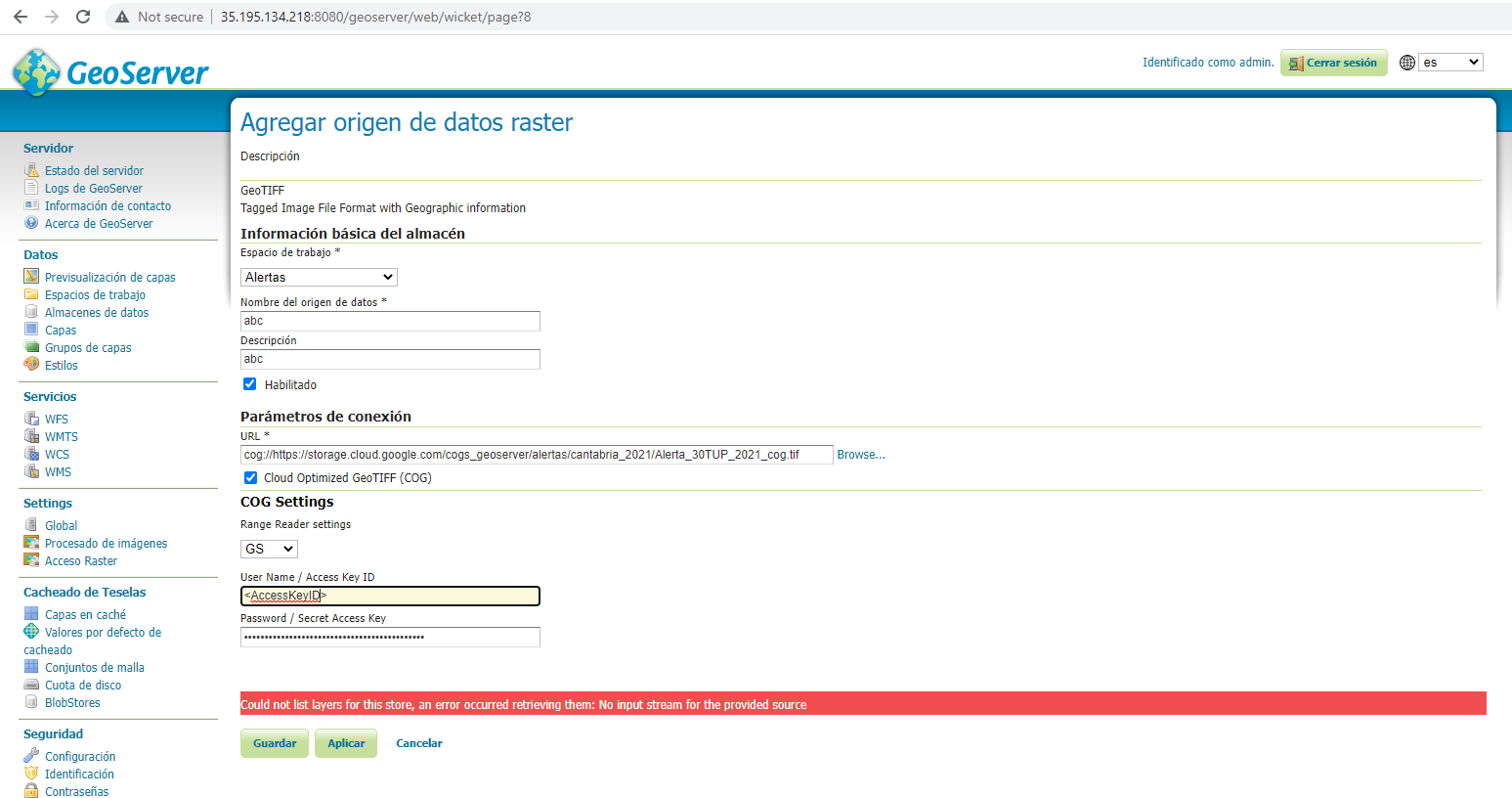
· Althouh I need to create a mosaic of multiple images, I’have tried to define a GeoTIFF data store instead of a ImageMosaic, just to test with only one file, but it doesn’t work with either the values of the environment variables, or filling User Name /Access Key ID and Password / Secret Access Key with the values of user account access key and user account secret key in the GeoServer GeoTIFF form (attached files Error1.png and Error2.png)
If I change the state of the bucket from private to public, it works well, so it seems that the only problem is how to pass credentials to GeoServer so it can access the files.
Has anyone managed to do the same successfully? How to pass GeoServer the credentials? What kind of credentials (service account or user account) are needed and where to put them so that GeoServer knows where they are?


···
Thanks in advance
Briones Garcia, Pedro
JGAP Sist Inform Geográfica
S.Información Geográfica / G.Sist.Inf. Geografica
Grupo Tragsa - SEPI
Calle Julián Camarillo 6B - 28037 Madrid
Tel.: 913226489 - 88216 - Fax: 913226005
pbg@anonymised.com
www.tragsa.es
POLITICA DE PRIVACIDAD, de conformidad con el Reglamento UE 2016/679 y la Ley Orgánica 3/2018
De: Briones Garcia, Pedro
Enviado el: sábado, 5 de noviembre de 2022 19:51
Para: ‘geoserver-users@lists.sourceforge.net’ geoserver-users@anonymised.comsts.sourceforge.net
Asunto: Image mosaic granules from Google Cloud Storage private bucket
Hi everyone.
Could someone tell me what credentials do I need to provide GeoServer to draw correctly an image mosaic whose granules are stored in a Google Cloud Storage (GCS) private bucket, and how to store them?
I have created without problems an image mosaic whose granules (GeoTIFF COG files) are stored in a public Google Cloud Store bucket, modifying LOCATION field in SHAPEFILE index file with the remote URLs of COG files (https://…). But when it comes to a private bucket, I can create the mosaic but it renders black, as if GeoServer doesn’t know how to reach the files or wich credentials to use.
I have tried, unsuccessfully, creating a system environment variable as stated in https://docs.geoserver.org/latest/en/user/community/cog/cog.html?highlight=store#google-cloud-storage-configuration, given the path to a JSON service account file created in Google Cloud Storage. I am no sure if my JSON service account file is the same “key-file“ documentation refers to.
I too have tried adding user/password to mosaic.properties and indexer.properties files, unsuccessfully too, althoug documentatios says that it is no possible in the case of Google Cloud:
· CogUser=xxx
· CogPassword=yyy
How to Tell GeoServer the credentials to access a GCS private bucket? What type of credentials (it seem that user/password doesn’t work) do I need to provide GeoServer and how (where to put he credentials, wich file to edit…)? Any example of key file?
Thanks in advance.
Un saludo.
Briones Garcia, Pedro
JGAP Sist Inform Geográfica
S.Información Geográfica / G.Sist.Inf. Geografica
Grupo Tragsa - SEPI
Calle Julián Camarillo 6B - 28037 Madrid
Tel.: 913226489 - 88216 - Fax: 913226005
pbg@anonymised.com
www.tragsa.es
POLITICA DE PRIVACIDAD, de conformidad con el Reglamento UE 2016/679 y la Ley Orgánica 3/2018