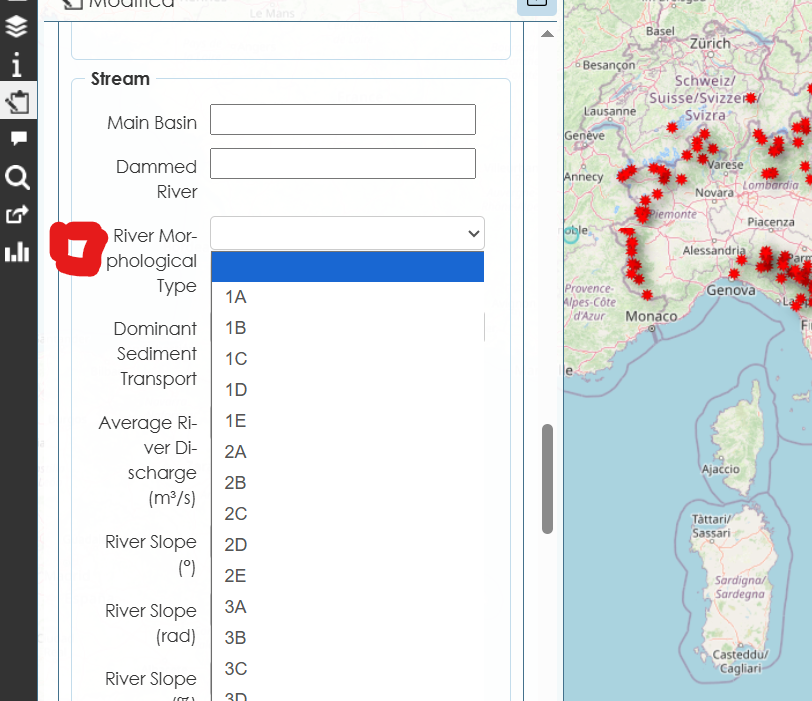
Here below my JS code:
(function() {
// Mappa campi → URL immagine
const FIELD_IMAGES = {
‘river_morph_type’: ‘http://188.213.171.171/img/Church_1992_EN.png’,
‘dam_type’: ‘http://188.213.171.171/img/costa-shuster.png’
};


function addButtonToLabel(label, imageUrl) {
    if (label._imgBtnAdded) return;
    label._imgBtnAdded = true;

    const btn = document.createElement('button');
    btn.type = 'button';
    btn.title = 'Open reference image';
    btn.style.marginLeft = '8px';
    btn.style.cursor = 'pointer';
    btn.style.padding = '2px 6px';
    btn.style.borderRadius = '4px';
    btn.style.border = '1px solid #ccc';
    btn.style.background = '#fff';

    // Icona punto interrogativo Flaticon
    const icon = document.createElement('img');
    icon.src = 'https://cdn-icons-png.flaticon.com/512/471/471664.png';
    icon.alt = 'Help';
    icon.style.width = '20px';
    icon.style.height = '20px';
    icon.style.verticalAlign = 'middle';
    icon.style.transition = 'transform 0.2s, box-shadow 0.2s';

    // Hover con JS
    icon.addEventListener('mouseenter', () => {
        icon.style.transform = 'scale(1.3)';
        icon.style.boxShadow = '0 2px 6px rgba(0,0,0,0.3)';
    });
    icon.addEventListener('mouseleave', () => {
        icon.style.transform = 'scale(1)';
        icon.style.boxShadow = 'none';
    });

    btn.appendChild(icon);

    btn.addEventListener('click', function(e) {
        e.preventDefault();
        showModalImage(imageUrl);
    });

    label.appendChild(btn);
}

function showModalImage(url) {
    let modal = document.getElementById('lizmap-img-modal');
    if (!modal) {
        modal = document.createElement('div');
        modal.id = 'lizmap-img-modal';
        Object.assign(modal.style, {
            position: 'fixed', left: 0, top: 0, right: 0, bottom: 0,
            background: 'rgba(0,0,0,0.6)',
            display: 'flex',
            alignItems: 'center',
            justifyContent: 'center',
            zIndex: 99999
        });

        const box = document.createElement('div');
        Object.assign(box.style, {
            background: '#fff',
            padding: '10px',
            borderRadius: '8px',
            maxWidth: '90%',
            maxHeight: '90%',
            overflow: 'auto',
            boxShadow: '0 4px 12px rgba(0,0,0,0.3)',
            textAlign: 'center'
        });

        const title = document.createElement('div');
        title.textContent = 'Reference Image';
        title.style.fontWeight = 'bold';
        title.style.marginBottom = '6px';
        box.appendChild(title);

        const img = document.createElement('img');
        img.id = 'lizmap-img-modal-img';
        img.style.maxWidth = '100%';
        img.style.height = 'auto';
        img.alt = 'Reference image';
        box.appendChild(img);

        const close = document.createElement('button');
        close.type = 'button';
        close.textContent = 'Close';
        Object.assign(close.style, {
            display: 'block',
            margin: '10px auto 0 auto',
            padding: '5px 10px',
            borderRadius: '5px',
            border: '1px solid #ccc',
            cursor: 'pointer',
            background: '#eee',
            transition: 'background 0.2s'
        });
        close.addEventListener('mouseenter', () => close.style.background = '#ddd');
        close.addEventListener('mouseleave', () => close.style.background = '#eee');
        close.addEventListener('click', () => modal.remove());
        box.appendChild(close);

        modal.appendChild(box);
        document.body.appendChild(modal);
    }
    document.getElementById('lizmap-img-modal-img').src = url;
}

function tryAttach() {
    for (const [field, imageUrl] of Object.entries(FIELD_IMAGES)) {
        let label = document.querySelector('label[for="' + field + '"]');
        if (!label) label = document.querySelector('label[for$="' + field + '"]');
        if (!label) {
            const input = document.querySelector('input[name="' + field + '"], select[name="' + field + '"], textarea[name="' + field + '"]');
            if (input) label = input.closest('label') || document.querySelector('label[for="' + (input.id || '') + '"]');
        }
        if (label) {
            addButtonToLabel(label, imageUrl);
        }
    }
}

tryAttach();

const observer = new MutationObserver(function() {
    tryAttach();
});
observer.observe(document.body, { childList: true, subtree: true });

setTimeout(tryAttach, 1500);

})();