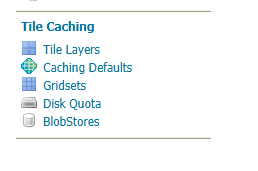
In our geoserver setup(2.28.0), we have several non-admin users. While admin user has access to ‘Tile Caching’ menu item on left side panel, non-admin users dont’t have.
Without it, how are non-admin users supposed to tile layers as seed/truncate/empty options are available on ‘Tile Caching’ screen only. Attached is the image of menu item I am talking about.
If you trust them then you can make them admins alternatively they would need to mail an admin to do it for them. Even the API would require them to authenticate
Q: When you say non-admin users, are they assigned “workspace admin” permissions (data security permission a) allowing them to edit layer configuration?
If so it would be desirable for these users to take responsibility for truncating / seeding TileSet associated with the layer…
Thanks for checking, I also checked by navigating to geoserver/gwc landing page, and although the link for seeding is present access is indeed restricted.