Hi
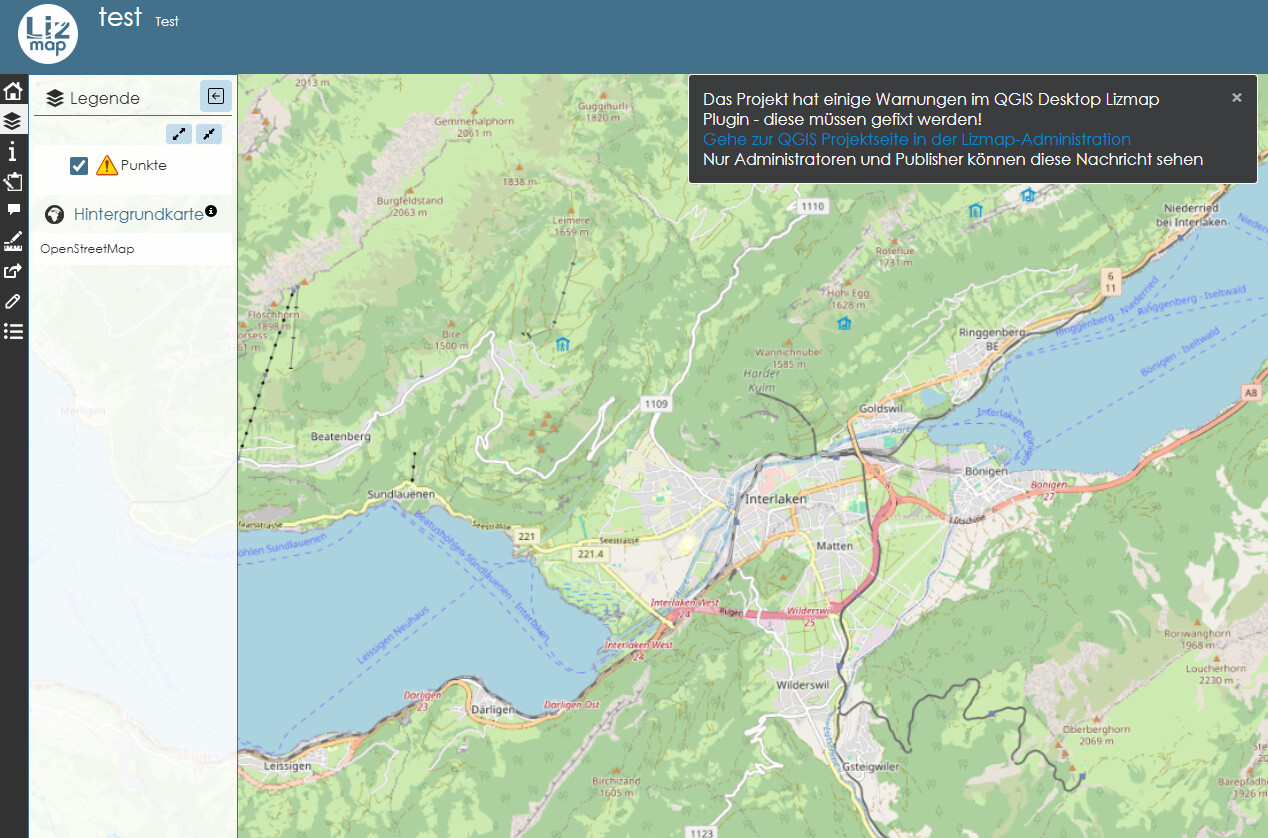
I have a layer from a postgresql table that has as primary key a field of type uuid. Consequently, I get the following message from Lizmap:

When I try to visualise the project in Lizmap, the layer does not show any objects (on the map).
Does Lizmap not support uuid as valid data type for primary keys? Is there a work-around to show the objects anyway? All of our spatial tables in postgres use this data-type for primary keys and it is therefore not option to change it on the db side…
Hans-Jörg
That is just a warning and should make no big problems. The symbology of your layer might be the culprit!
Not sure…
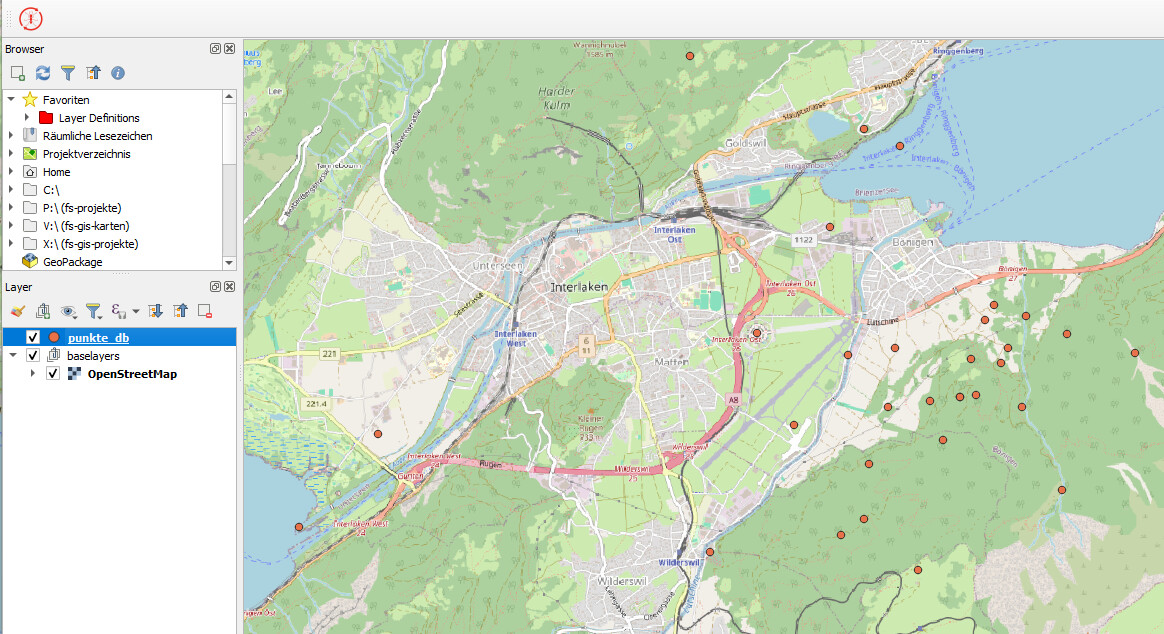
I have created a test project with only the geometries layer (points) and in qgis they look like this:
In Lizmap I get:
The db-crentials are stored in our qgis profile, not in the project.
Could that be an issue? If so – how can I solve it?
Cheers, hj
yes, the yellow exclamation mark gives you a hint that something with your datasource seems not correct. Have you loaded your auth-db into your qgis-server? And have you checked the debug log of lizmap (Administration → Lizmap Logs)
I would recommend using pg_service.conf instead of using the qgis database.
Edit: Infact, the documentation states you really should not use the QGIS auth.db: Editing — Edit a layer from the web interface - especially if you want to edit this layer via lizmap
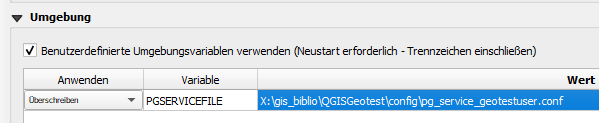
I guess you are referring to this setting – right?
Does it matter if there are several connection entries in the file?
Yes, that is the one! And no, it is made to manage many connections. The service file needs to be placed on the server then as well (preferably at the default location at /etc/postgresql-common/pg_service.conf ). You might have to restart qgis-server to make it read the file (not sure though)
Oh, for the ease of work (when you need to transfer it to the server in the future, after some local changes) - i would stick to the default name “pg_service.conf” and not call it “Pg_service_geotestuser.conf” 
I copied the .conf file into a directory structure as suggested – but it had no effect (I restarted the server).
As mentioned I have my Lizmap in a docker container set-up.
The docker-compose.yml lies in the folder:
lizmap-docker-compose-master
There, I have the substructure lizmap/etc
And in there I created another subfolder postgresql-common in which I copied the .conf file as suggested.
So the path is:
“..\lizmap-docker-compose-master\lizmap\etc\postgresql-common\pg_service_geotestuser.conf”
you need to adjust the docker-compose.yml and add under the map service the line:
volumes:
  - { type: bind, source: "./pg_service.conf", target: /etc/postgresql-common/pg_service.conf, read_only: true }
(or wherever you placed your config file on your machine)
Thanks a lot!
Meanwhile I managed to get the data visible in Lizmap. Thanks for all the support on this. Further question will certainly follow… 
So how did you get your service file into the map container? (:
At first I erroneously put it in the etc folder.
But with help of AI I realised that in the .yml file the path mapping was set to put it next to the .yml file / same directory. I found there the existing .conf file with the credentials to the local lizmap db and just added my credentials and off it went!
As for the logo/display: indeed it was a problem with our pic. For simplicity I exchanged it. But originally it is a png stored externally in a subfolder. Don’t know yet how to get that working though.