Hi everyone,
I’m experiencing an issue with my GeoNetwork instance in production. Everything works fine when I access GeoNetwork via localhost or the machine’s IP address (http://192.168.21.108:8080/geonetwork), but when I use my domain (https://domain.com), I cannot save or edit metadata records. The error returned is always a 500 Internal Server Error.
Setup details:
- GeoNetwork version: [Specify version, e.g., 4.x.x or 3.x.x]
- Server setup:
- Running GeoNetwork in a Docker container with Jetty.
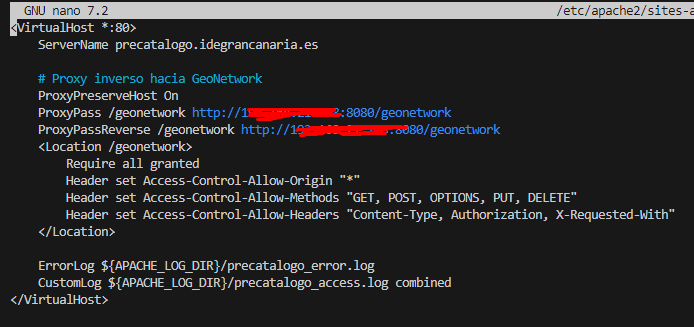
- Reverse proxy with Apache configured as follows:
<VirtualHost *:443>
ServerName domain.com
ProxyPreserveHost On
ProxyPass /geonetwork http://127.0.0.1:8080/geonetwork
ProxyPassReverse /geonetwork http://127.0.0.1:8080/geonetwork

<Location /geonetwork>
    Require all granted
    Header set Access-Control-Allow-Origin "*"
    Header set Access-Control-Allow-Methods "GET, POST, OPTIONS, PUT, DELETE"
    Header set Access-Control-Allow-Headers "Content-Type, Authorization, X-Requested-With, X-CSRF-Token"
</Location>
Web.xml security mode:
<init-param>
  <param-name>securityMode</param-name>
  <param-value>DB_LINK_CHECK</param-value>
</init-param>
Steps attempted:
- Tested with both HTTP and HTTPS on the domain.
- Verified Apache proxy settings and added the necessary headers.
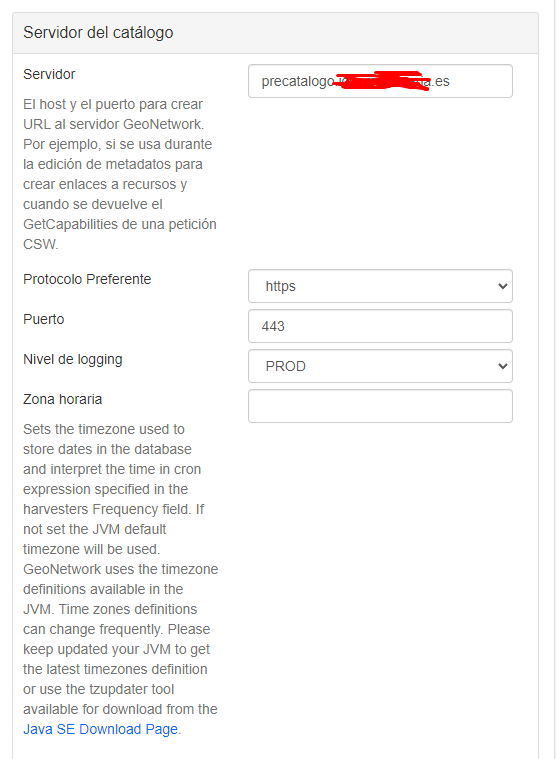
- Configured
publicUrlinconfig.properties. - Temporarily disabled CSRF by setting
securityModetoNONEinweb.xml(same issue persists). - Checked logs on both GeoNetwork and Apache. The error returned is a
500but with no clear details. - From localhost or IP (
http://192.168.21.108:8080), I can create and edit records without any issue. - Ran a
curltest:
- Works fine:
curl -X POST http://192.168.21.108:8080/geonetwork/srv/api/records/133/editor?commit=true - Fails:
curl -X POST https://domain.com/geonetwork/srv/api/records/133/editor?commit=true
Error Details:
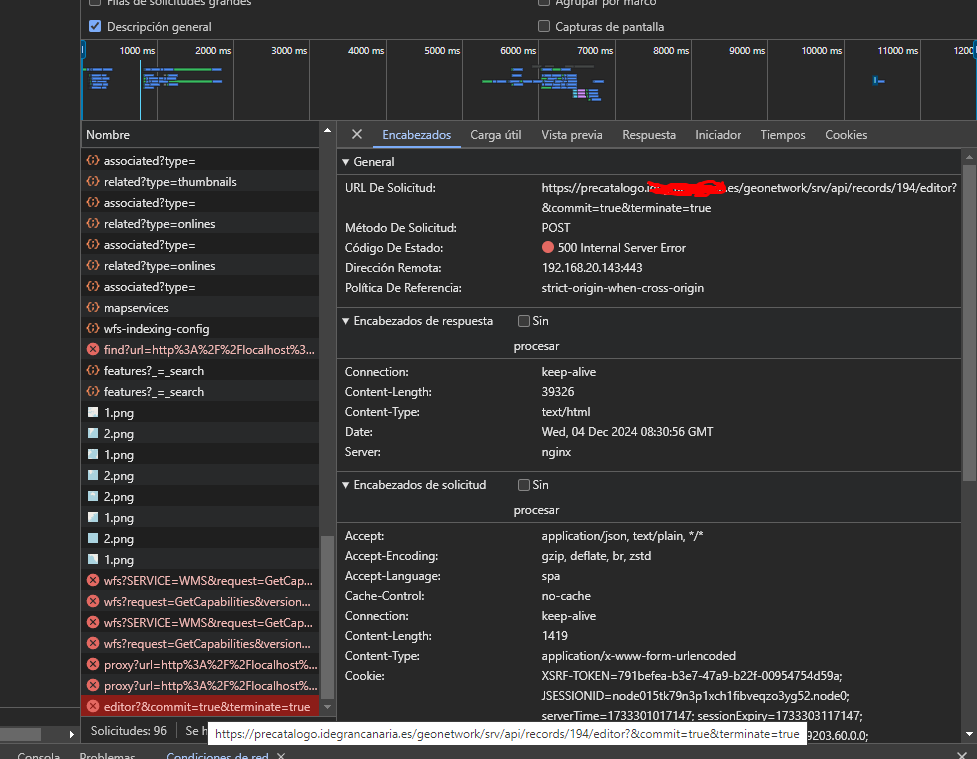
*In the browser’s developer tools:
500 Internal Server Error
URL: https://domain.com/geonetwork/srv/api/records/133/editor?commit=true
- GeoNetwork logs: [Include any relevant error messages from logs]
Questions:
- Could this be a misconfiguration in GeoNetwork, Apache, or the network setup?
- Has anyone encountered similar issues when using a reverse proxy with GeoNetwork?
- Are there specific configurations or headers that need to be set for GeoNetwork to properly handle requests via a domain?
Any guidance or suggestions would be greatly appreciated. Thank you in advance for your help!