I am struggling with the configuration of QGIS-Server 3.40.8, apache2, Lizmap Server 2.13.1 and Lizmap Web Client 3.8.11.
The website shows up, but the connection to qgis-server does not work. Can a proxy-server in front of the webserver have an impact on this problem? I don’t think so, but perhaps I am wrong.
Regards,
Christiane
Hello & welcome Christiane! 
Can you maybe post your output from your lizmap Plugin in QGIS when you right click the LWC project?
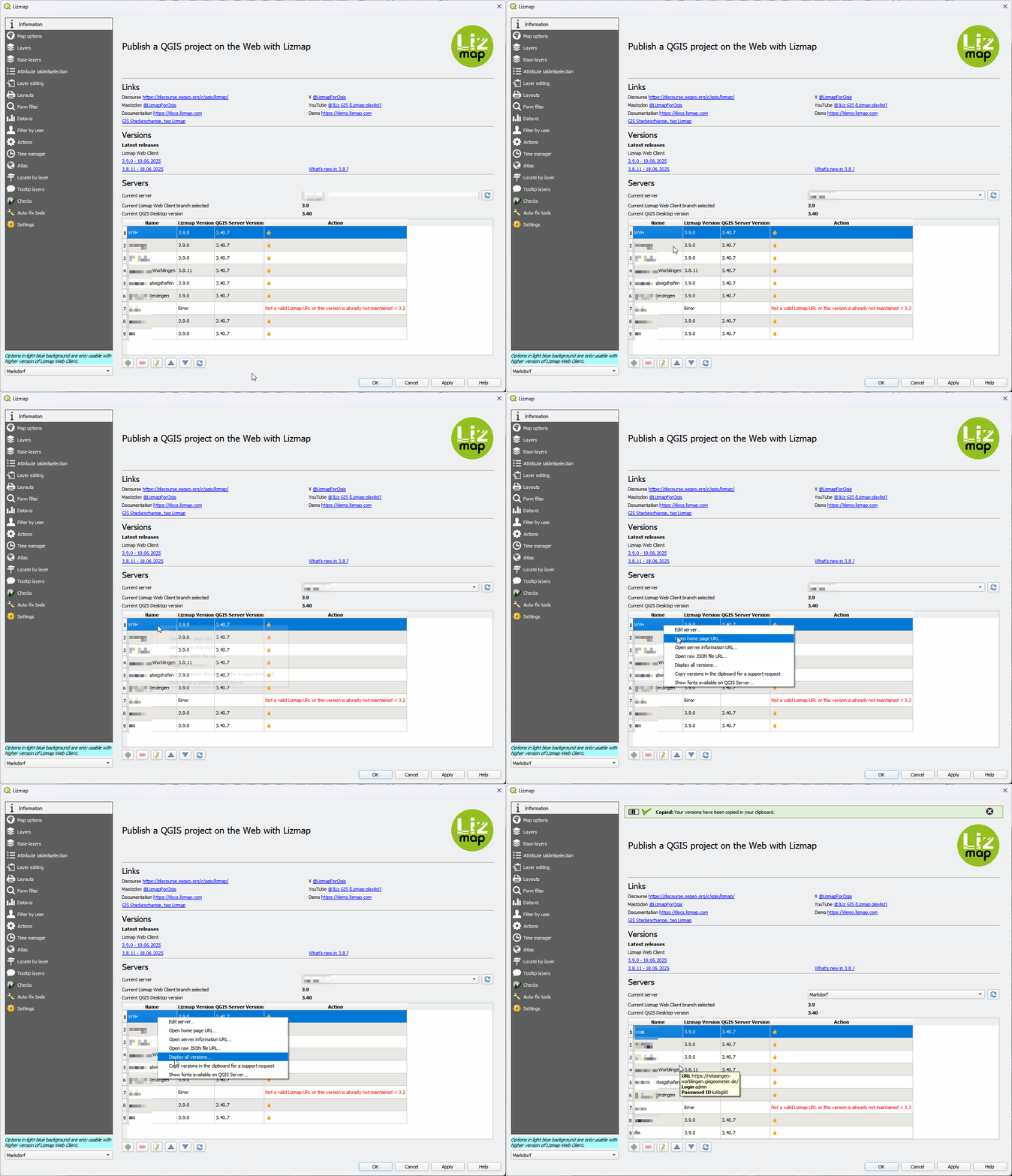
Or do you get no connecten there already?
Thanks for the video guide! Here is the output:
Versions :
- Lizmap Web Client : 3.8.11 - commit 51c30f8fd Release of 3.8.11 · 3liz/lizmap-web-client@51c30f8 · GitHub
- Lizmap plugin : 4.5.3
- QGIS Desktop : 3.40.8
- QGIS Server and plugins unknown status because of the settings in QGIS Server, please review your server settings in the Lizmap Web Client administration interface, then in the “Server Information” panel.
List of safeguards :
* Mode : safe
* Allow parent folder : no
* Prevent other drive : yes
* Prevent PG service : yes
* Prevent PG Auth DB : yes
* Force PG user&pass : yes
* Prevent ECW : yes
Then, please follow the advice, do you have any clues there ?
Yes, there are clues reported and I have been trying for days to resolve them but without success.
The admin panel says (“myservername” here replaces the true server name):
In the Lizmap Konfiguration:
QGIS server URL* https://myservername/cgi-bin/qgis_mapserv.fcgi?
In the Admin log window:
2025-07-10 17:42:21 137.248.191.3 lizmapadmin An HTTP request ended with an error, please check the main error log. HTTP code 500.
2025-07-10 17:42:21 137.248.191.3 lizmapadmin An HTTP request ended with an error, please check the main error log. HTTP code 500.
2025-07-10 17:42:21 137.248.191.3 lizmapadmin QGIS server minimum 3.28 and Lizmap QGIS server plugin minimum 2.13.0 need to be installed and configured correctly. Your QGIS server couldn’t be reached correctly with the given URL “https://myservername/cgi-bin/qgis_mapserv.fcgi?”.
In the errors.log window:
2025-07-10 17:42:21 137.248.191.3 error The HTTP request ended with an error. HTTP code 500. → https://myservername/cgi-bin/qgis_mapserv.fcgi?/lizmap/server.json
2025-07-10 17:42:21 137.248.191.3 error The HTTP request ended with an error. HTTP code 500. → https://myservername/cgi-bin/qgis_mapserv.fcgi?service=WMS&request=GetCapabilities
I can’t find anywhere a file “server.json”. The error.log on the server says in addition to the text above, in the request a MAP-Parameter is required. But this makes no sense to me, because what if you want to serve several projects? You can’t fix the QGIS server URL in the admin-panel to a single Map.
Yes correct, there isn’t a file on the disk itself. This is just an URL, the Lizmap server plugin will answer this URL with the correct content. It happens a lot on web application now, a kind of “URL Rewriting”.
Yes correct, the MAP parameter is provided by Lizmap Web Client, to serve different QGIS projects. So nothing to worry about that now.
Sorry, I repeat myself :
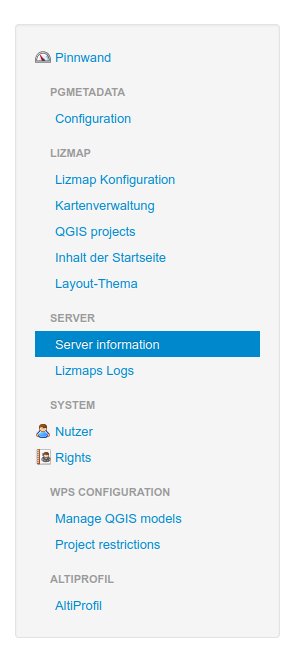
And check every bullets which are written 
Thank you, gustry, for answering my questions. I checked all bullets in the panel “Server information” several times and studied the error-log-files again and again, tried this and that without success.
Finally meyerlo figuered out, that xvfb was not installed. Installing this solved the problem.Thank you again, meyerlo!
3 Likes
Thanks for the feedbacks.
I’m sure there was something else… Or in the logs somewhere.
XVFB is only used when doing an export as PDF from a QGIS layout.
Nice to know it works.