Hello,
I’m currently using a geoserver 2.28.1 along with ImageMosaic Store that use geoserver cog-s3 community plugin to gather my granules (~200 Cog tiffs) from S3 server. I have all my granules indexed inside a table in my database.
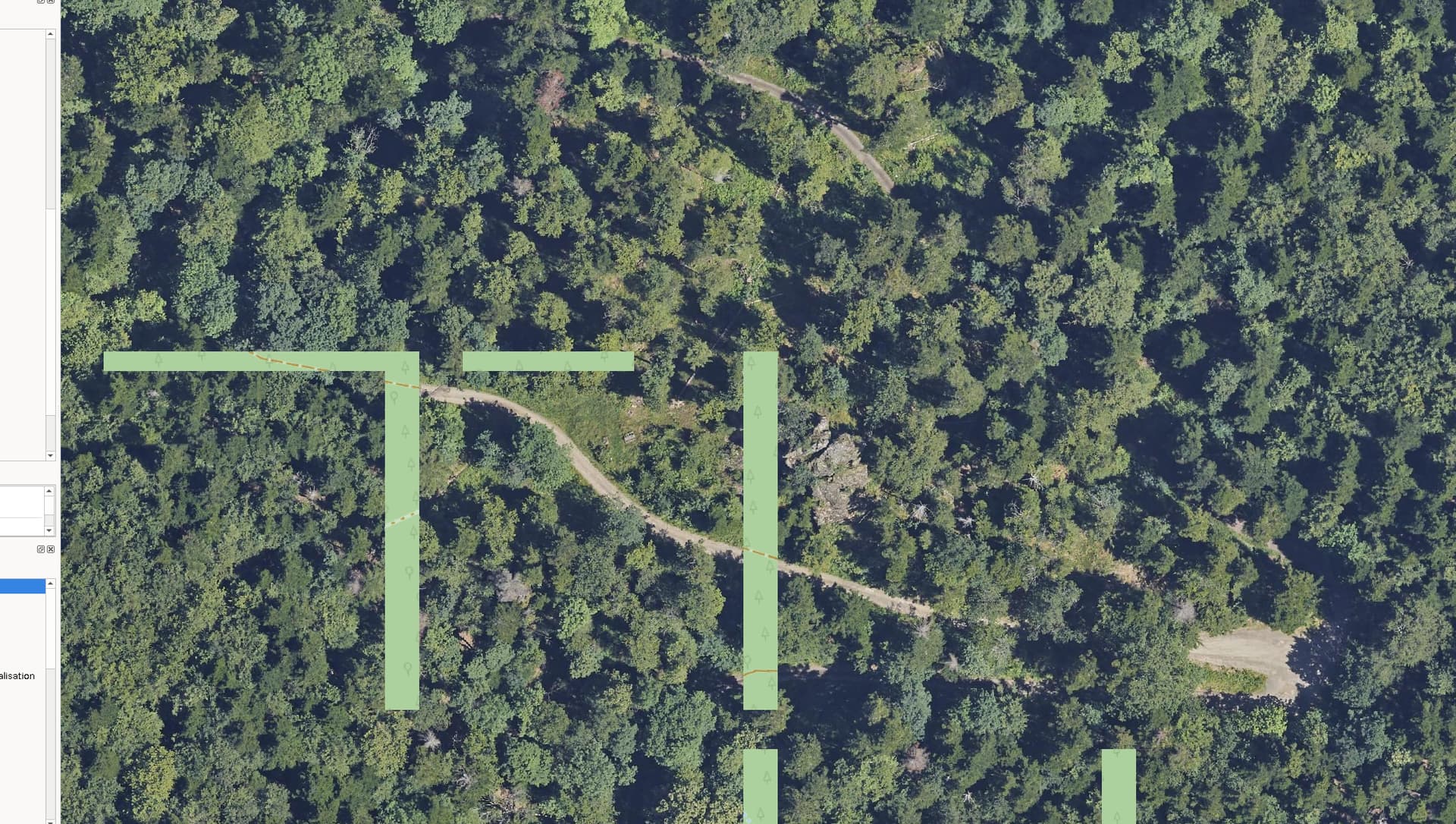
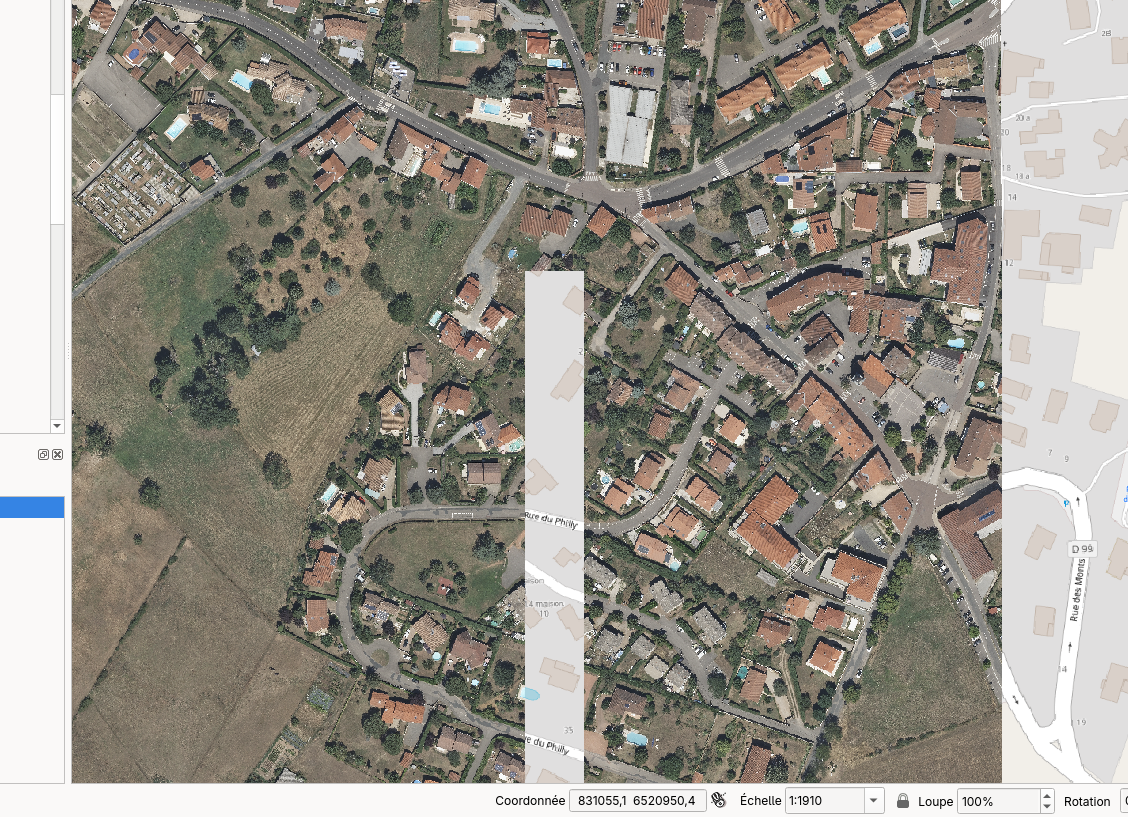
When I try to access my data, sometimes the gathered tiles contains some transparent rectangle in them (see screenshot attached), but when i try to reload the tile, the transparent rectangles can disparear and then reapear, it seems random. I have tried to change some parameters inside my deployed layer
to fix the probleme without success. Is it a known bug ? Do you think it might be related to the structure of my COG tiffs ?
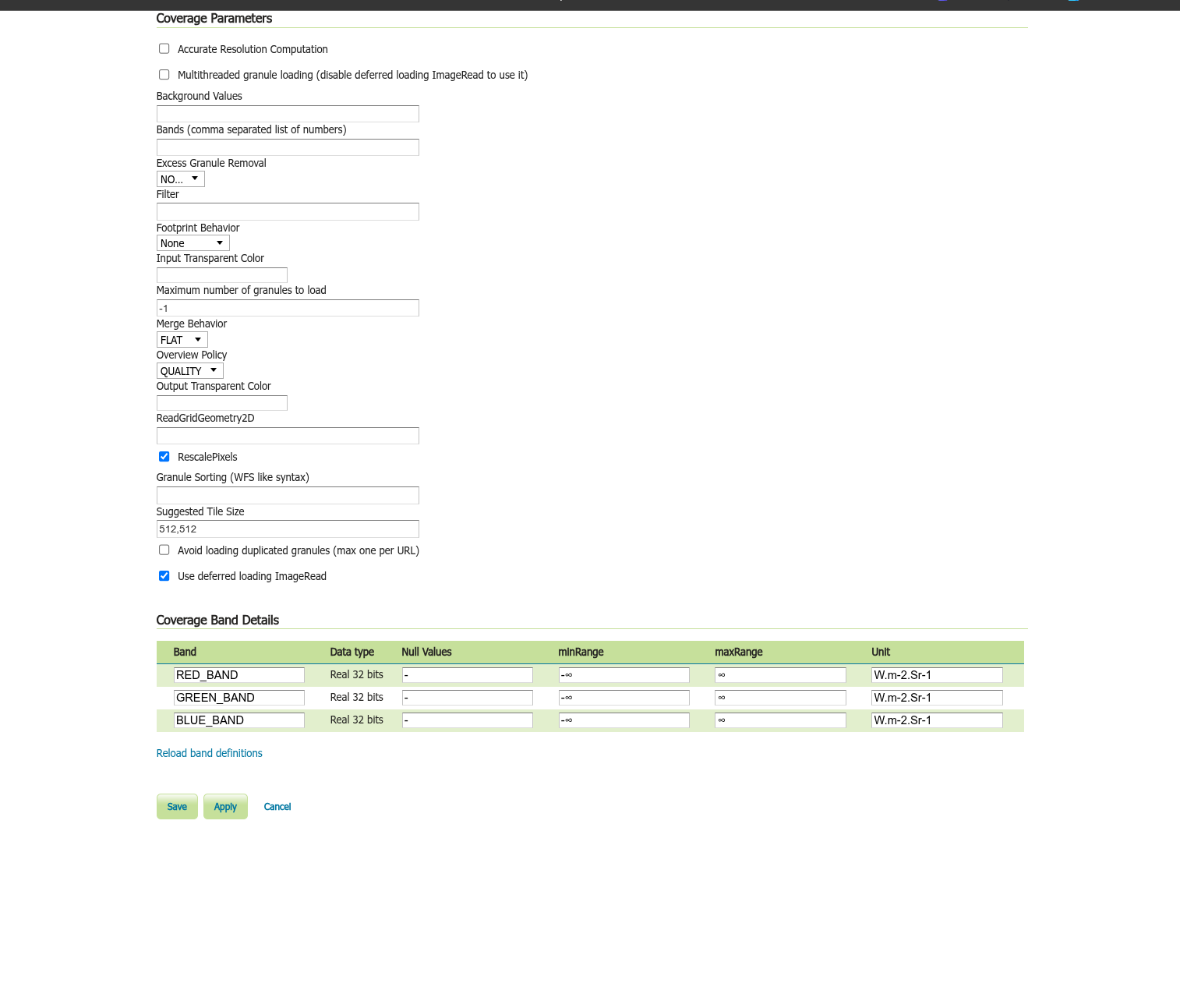
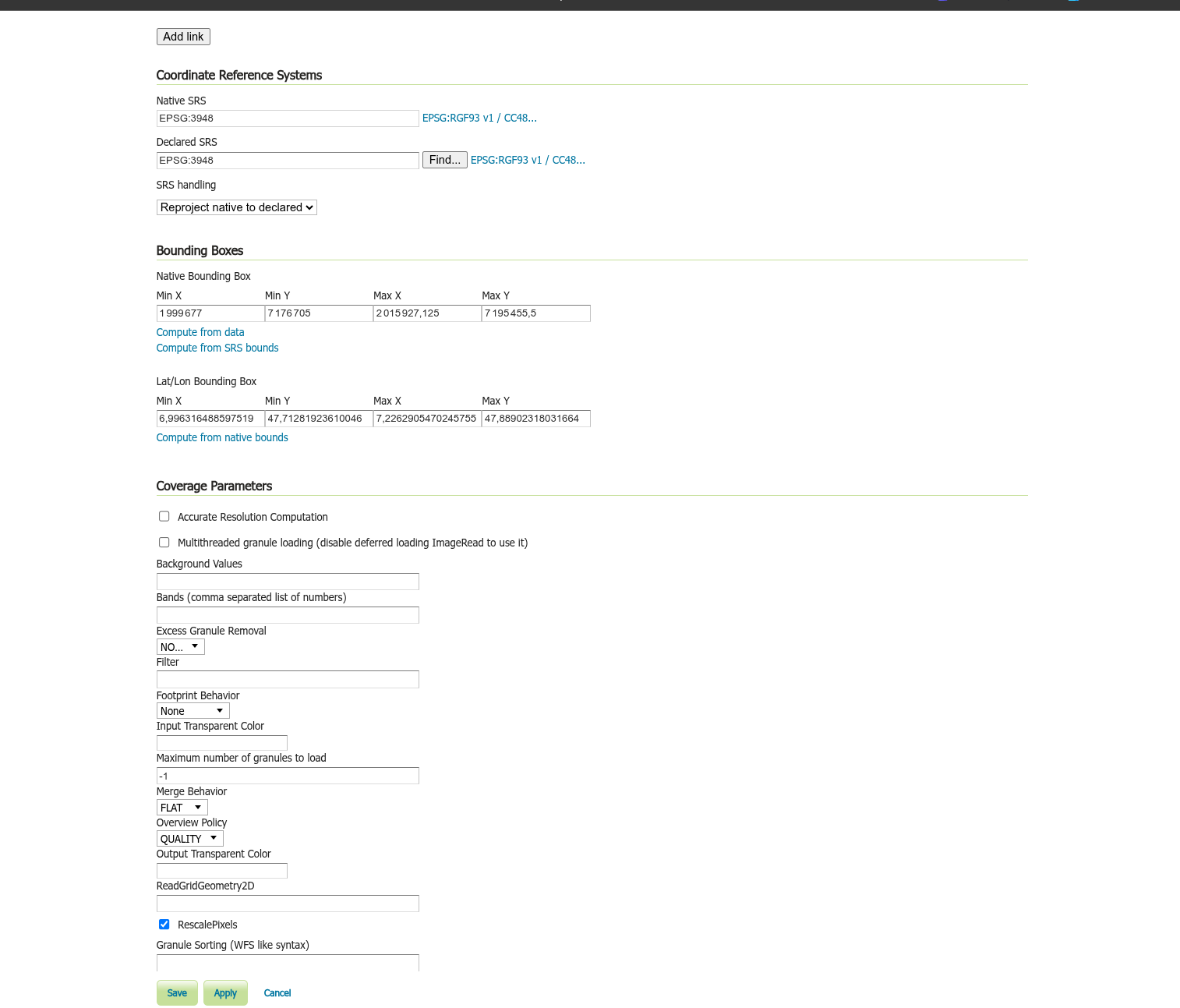
I also have attached some screenshot of my current layer configuration
Thank you.
Re,
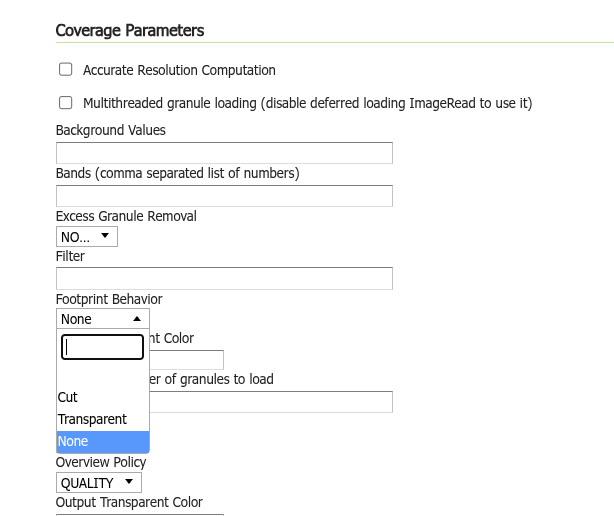
My problem seems highly related to the use of the footprint behaviour option with “Transparent” value
When I set this option to None, I am not able to reproduce the bug.
I think this is a bug
Interesting finding,
so do you have the footprint.properties definition file, and what is its contents?
See also footprint usage in this tutorial:
Cheers
Andrea
Hello,
I do not use the footprint.properties file, I just change the value of the coverage parameters of my layer
Anyway I have done more test this morning and it seems my problem is not only related to this footprint behavior parameter but also to the input transparent color value.
Here are the result of my tests (FB = footprint behaviour, ITC = input transparent color)
FB = None, ITC = (nothing) => I have the transparent rectangle problem
FB = Transparent, ITC = (nothing) => I have the transparent rectangle problem
FB = Transparent, ITC = FFFFFF => I have the transparent rectangle problem
FB = None, ITC = FFFFFF => I DO NOT have any problem
If you have time to replicate the problem on your side, I can give you the 4 tiffs (~ 1.3Go)( I can’t upload here as I’m a new user), to replicate the bug I create a image mosaic mosaic store from the folder where the tiff are placed, and then I publish the layer and access it from QGIS, very simple. I have the bug with the default settings.
Hello, I have new information about this “bug”.
I find out, that when I create an image mosaic store from a folder contaning tiffs, for example I download 4 tiffs from here=> DromeTiffs, and those tiffs do not have the no_data tag in it.
IE the gdalinfo commands give me this
Band 1 Block=512x512 Type=Byte, ColorInterp=Red
Overviews: 2000x2000, 1000x1000, 500x500, 250x250
Band 2 Block=512x512 Type=Byte, ColorInterp=Green
Overviews: 2000x2000, 1000x1000, 500x500, 250x250
Band 3 Block=512x512 Type=Byte, ColorInterp=Blue
Overviews: 2000x2000, 1000x1000, 500x500, 250x250
Then when I deploy my layer from this image mosaic store with the default settings, and access it from qgis, I can replicate the bug very quickly (might need to zoom/dezoom a few times).
But when I regenerate those tiffs and add a no_data tag value.
IE the gdalinfo commands give me this :
Band 1 Block=256x256 Type=Byte, ColorInterp=Red
NoData Value=0
Band 2 Block=256x256 Type=Byte, ColorInterp=Green
NoData Value=0
Band 3 Block=256x256 Type=Byte, ColorInterp=Blue
NoData Value=0
Then I recreated a new image mosaic store and layer, I’m not able to recreate the problem anymore.
try png format.
and i have problem to install extensions, i copy paste jar file WEB-IF > lib folder but it not showing in geoserver. i try multiple versions 2.20. … to 2.28. …
Hello, The problem can be reproduced without using the cog-s3 module, just using a mosaic store directly pointing to a local folder.