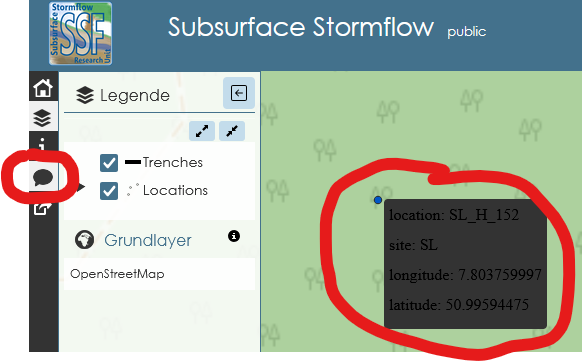
Does anyone know how to change the background and font color of the tooltip boxes in LizmapWebClient? I think I found it by chance in the Lizmap folder on the server a few weeks ago and changed it, but I can’t remember where.
The current problem is that in some of my QGIS projects, the font appears black against a dark gray background, and the font is also Times-like rather than sans serif.
Can you provide a screenshot, just to make sure that i understand what you mean with tooltip box? 
Edit: Oh, an please refrain from double-posting in the englisch AND german forum, let’s try to keep the forum neat & clean
Fiddling a bit around with the html, here is some example code which should do what you need:
<style>
.lizmapPopupTable {
    background-color: rgba(255, 255, 255, 0.7) !important;
    color: black !important;
}
.lizmapPopupTable th,
.lizmapPopupTable td {
    background-color: rgba(255, 255, 255, 0.7) !important;
    color: black !important;
}
</style>
<table class="table table-condensed table-striped table-bordered lizmapPopupTable">
          <thead>
            <tr>
              <th>Field</th>
              <th>Value</th>
            </tr>
          </thead>
          <tbody>
            <tr>
              <th>id</th>
              <td>[% "id" %]</td>
            </tr>
            <tr>
              <th>flaeche</th>
              <td>[% "flaeche" %]</td>
            </tr>
            <tr>
              <th>bezeichn</th>
              <td>[% "bezeichn" %]</td>
            </tr>
            <tr>
              <th>bemerkung</th>
              <td>[% "bemerkung" %]</td>
            </tr>
            <tr>
              <th>nr</th>
              <td>[% "nr" %]</td>
            </tr>
            <tr>
              <th>planung</th>
              <td>[% "planung" %]</td>
            </tr>
            <tr>
              <th>datumwandl</th>
              <td>[% "datumwandl" %]</td>
            </tr>
            <tr>
              <th>standalt</th>
              <td>[% "standalt" %]</td>
            </tr>
            <tr>
              <th>flächengr</th>
              <td>[% "flächengr" %]</td>
            </tr>
            <tr>
              <th>flächen_1</th>
              <td>[% "flächen_1" %]</td>
            </tr>

          </tbody>
        </table>
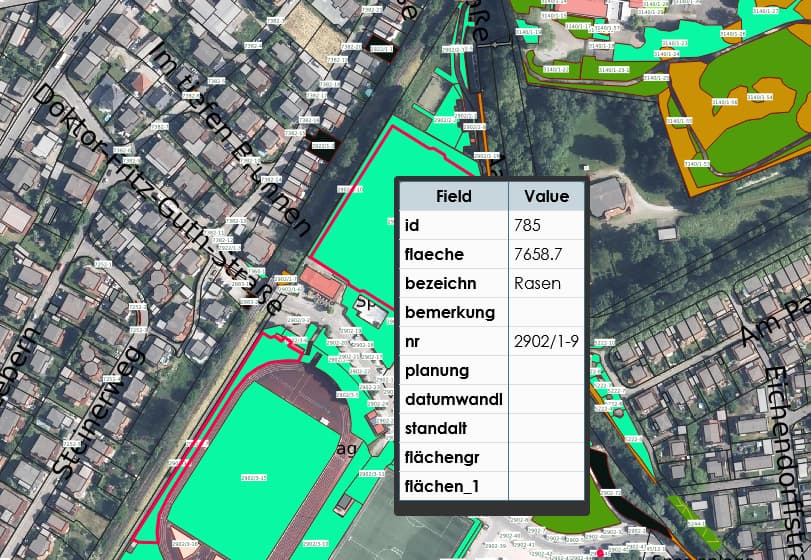
change the color from black to anything you like. This is how it looks now with the example code:
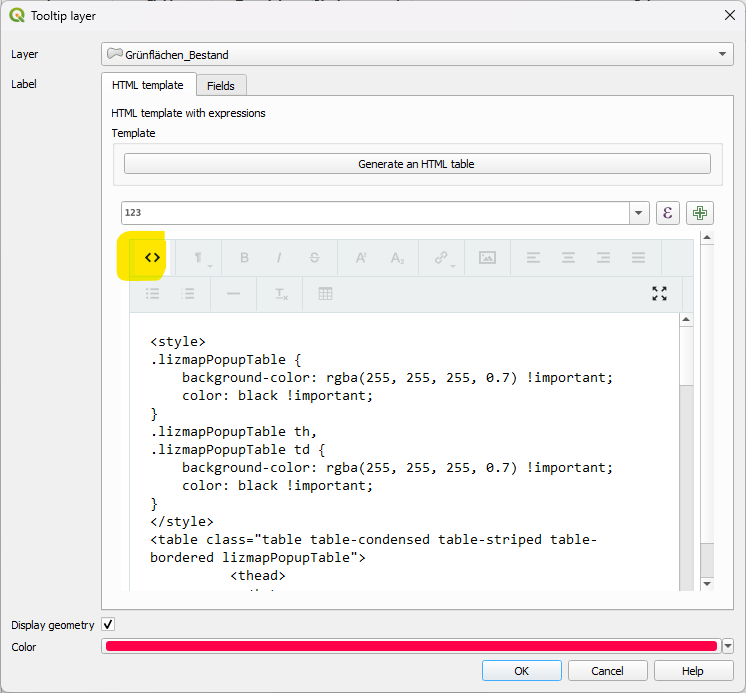
Add the code in the Plugin for the Tooltip HTML Template. Click on the <> to see the pure code:
Thank you very much for your support! Especially the <>Button revealed a mystery - some unwanted code had crept in and caused the bad design. After deleting it, everything looked fine, but it happened a second time later. I could not find out so far which particular action is the trigger.