I have recently installed the GeoServer to explore its usage and capabilities so that we can utilize it at our organization. Could someone explain how we can use or access GeoServer without using the ports? For e.g., right now we access the GeoServer Web portal as https://localhost:8080/geoserver. However, could we use it externally with a domain name just like we have Esri’s ArcGIS Server and Portal.
Additionally, I have observed that even though I changed the username and password during the installation, it still takes the default credentials in GeoServer. Is there a way we can change that default credentials?
Your help and insights would be really helpful. Thank you!
I have recently installed the GeoServer to explore its usage and capabilities so that we can utilize it at our organization. Could someone explain how we can use or access GeoServer without using the ports? For e.g., right now we access the GeoServer Web portal as https://localhost:8080/geoserver. However, could we use it externally with a domain name just like we have Esri’s ArcGIS Server and Portal.
Additionally, I have observed that even though I changed the username and password during the installation, it still takes the default credentials in GeoServer. Is there a way we can change that default credentials?
How are you doing the installation? - normally this is changed through the GUI after installation
Thank you for sharing the information. During the installation, I was prompted to enter a default username and password. According to the documentation, these can be changed, so I updated them and completed the GeoServer installation successfully. However, when I attempted to sign in using the new credentials, I received an error. Logging in with the default credentials worked without any issues. This seems like an enhancement opportunity.
After signing in with the default account, I created a new user through the GeoServer GUI. However, the new user does not have the same privileges as the default administrator account. The default account functions as an Admin with full administrator permissions, whereas the newly created user cannot access all available options in the interface.
Are there specific steps to correctly update user credentials, roles, and permissions?
Additionally, since GeoServer functions as a backend application, is there any frontend application that provides a more user-friendly interface? For example, in the Esri ecosystem, ArcGIS Server serves as the backend while Portal for ArcGIS provides the frontend experience.
That sounds like you are using the windows installer so I can’t really help, I usually install GeoServer as a webapp in tomcat which is an automatic installation.
The user creation process sounds like it is working as (we) expect, a read of the relevant manual section will probably help ( Role system — GeoServer 2.28.0 User Manual )
GeoServer is designed as an open standards based server, there are many front ends that can make use of the services it provides including QGIS, OpenLayers, Leaflet. In general you are looking fro OGC standards support. In theory even ESRI tools should support them, but I’ve never checked.
Hi @anshu - were you installing using the windows installer? That is the only way I can think that installation process would ask you for username and password? It should be capable of providing the user name and password (but we do not get a lot of feedback from windows users).
The GeoServer 3 project is presently working on some user interface improvements for GeoServer planned for next month.
My company has a product GeoCat Bridge which allows for publication to GeoServer from your Desktop GIS (ArcGIS Pro or QGIS).
I am pretty sure I recall a bug in the Windows Installer, exactly as Anshu has described: the installer asks for new admin credentials but then never sets them up correctly.
Hi @jive and @Peter Thank you for your response. Yes, I installed GeoServer using the Windows Installer. Although the installer allows you to set new credentials, attempting to log in afterward results in an “Invalid username or password” error. However, logging in with the default credentials works—even though I never used them during setup.
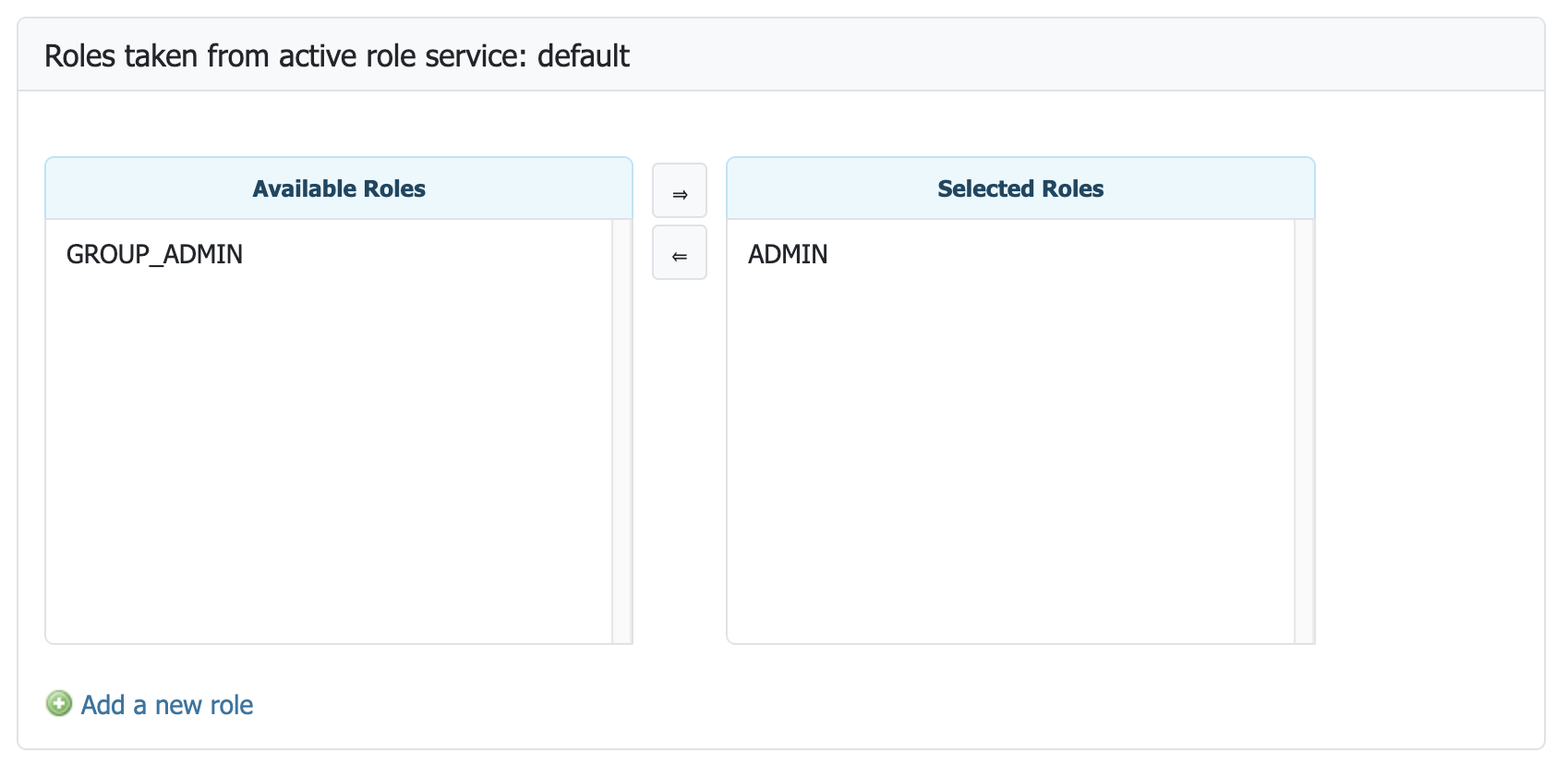
I also tried creating a new user account from the GeoServer web interface after signing in with the default credentials, since we cannot use or share the default account for security reasons. Unfortunately, the new account does not have admin privileges. Is there a way to assign the same administrative roles to a newly created user?
Aside: There is nothing magic about ADMIN role - it is a normal role you create in the Role service, and then configure the Role service to indicate role ADMIN is used to access all the administrator functionality. You can also setup a role as a “Group administrator” (allowing a team lead to manage user).