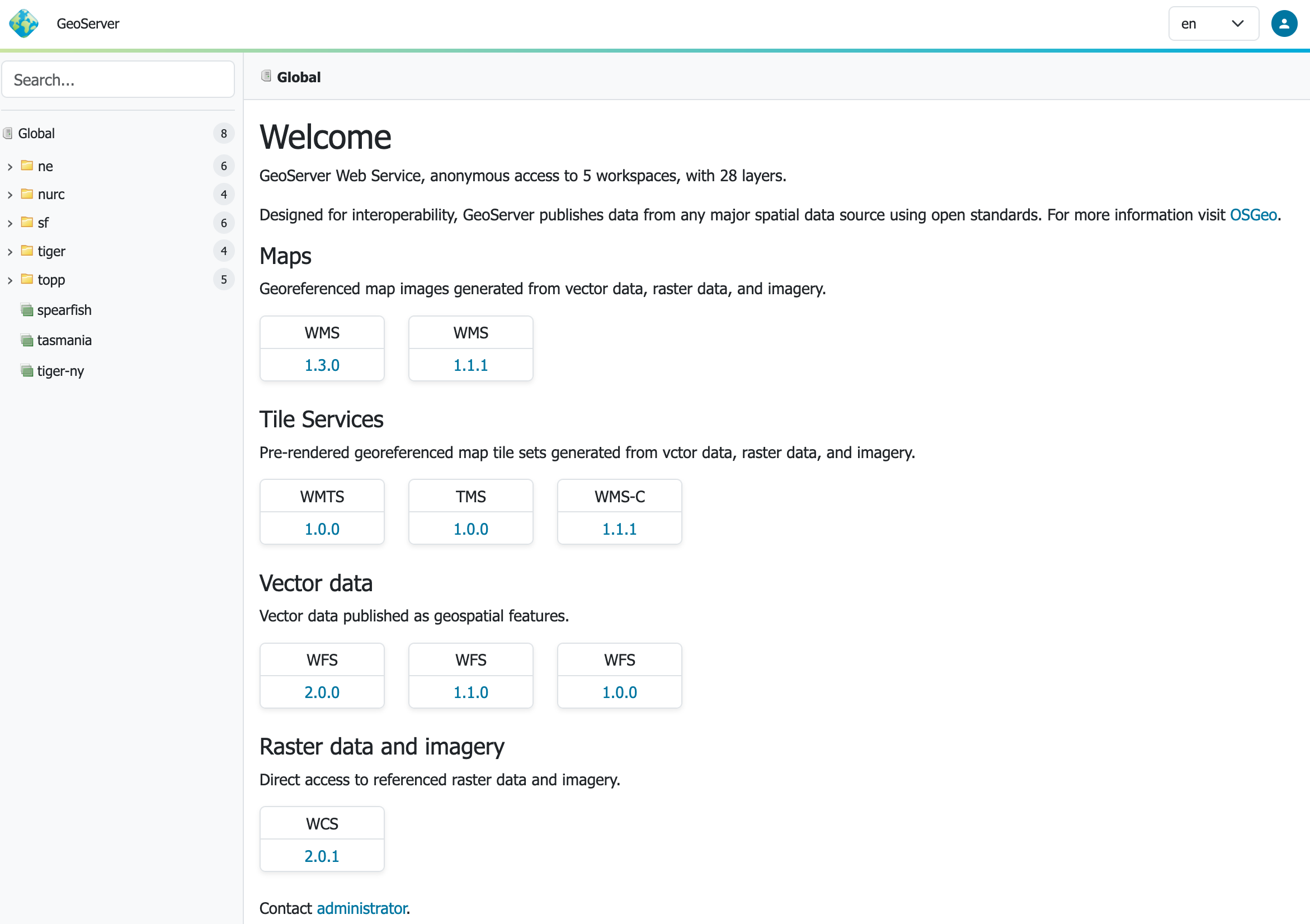
We are overjoyed to share with everyone GeoServer 3.0-RC for testing, feedback, and love.
See the release announcement for details as I am just going to share a couple notes here:
The first thing to know is this is a seemless update from GeoServer 2.28. We have taken care not to change the GeoServer Data Directory at all.
This is a Release Candidate - your chance to contribute to the success of the project [1] by testing in your environment, with your datasets, and replying to this thread with how it went! Even just to offer encouragement…
Enjoy your time exploring! GeoServer 3 provides a new context-driven user experience, response user interface theme, a new full-screen open layers preview, …
Thanks to the GeoServer 3 team for making this happen, and the crowdfunding campaign which made this work possible.
Will the GeoServer 3.0-RC libraries be made available in the osgeo release Nexus repo? We have some custom plugins that we would like to test against the actual RC libraries and not the snapshot builds.
first of all I want to thank everybody working on or donating for this major update of GeoServer
I now upgraded my server used for seeding tiles to the release candidate and filling the caches works as expected. The environment is Windows Server, Tomcat 11, Java 21 with Oracle and WMS data sources. The only problem is that the oracle.net.tns_names system property is ignored, which I already reported in GeoServer 3 Oracle OCI TNS problem.
My other servers I will be testing when the GeoFence extension becomes available.
I’m just trying to get used to the new UI, so I can’t give much feedback in this regard.
I had a list of usability issues from testing last month’s nightly build and in the release candidate most of them are gone
The only thing I don’t find ideal is, that when switching through pages of a list, the back button doesn’t lead to the previously visible page of the list, f.e.:
Global settings
Layers - result page 1
Layers - result page 2
Navigating back from 3. should show 2. but instead goes back to 1.
GeoServer 3 looking good here. Had to redo how we did some authentication and security configuration, using the REST api now more rather than manually fiddling with files. And enabling the CORS filter in Jetty now works differently.
But it all seems in line with what you’d expect with a major version upgrade. Once GeoServer was started & configured properly all the map layers etc worked the same.
CORS control is now built-in global settings, so you may not of needed to do much to Jetty?
For the security configuration, did you try out the new OIDC plugin? I am interested in what you needed to redo; since your expereince may offer guidance for the upgrade instructions.
I need to configure GeoServer programmatically, so if there’s a REST way to tell GeoServer to enable CORS that would work. But really editing the XML is fine as well.
Just some quick informal feedback: Browse Layers (the old layer preview) and Tile Layers preview do not honour the dark mode setting. (docker.osgeo.org/geoserver:3.0-RC image)
I’ve just replaced version 2.28.3 with 3.0RC (Docker). And it seems that everything is working as expected in my small setup. The interface still feels a bit unfamiliar, but it certainly looks fresh.
Our organisation, fibertime™, have recently deployed GeoServer 2.27.3 for production and GeoServer 3.0-RC for testing. Overall, we are very satisfied with the performance of both these versions. GeoServer 3.0-RC, especially, provides a fresh and intuitive UI. However, it has come to our attention that employing OAuth2 Authentication with GeoServer 3.0-RC comes with a minor challenge where the user is constantly requested to log out and in to his/her Microsoft account when accessing GeoServer.
Additionally, on a separate note, we would like to determine whether the GeoServer Team have published, or thought of publishing, documentation regarding the integration of other GIS’s. GeoServer is an excellent platform for WMS, MWTS, and WFS, however, to practically interact with these services for design and analyses purposes, one must do so through a GIS. One such GIS that comes to mind, which is utilised at scale throughout the world, is QGIS.
Thank you to the GeoServer team for their impeccable work. We are excited to continue our journey with GeoServer.
Something we have noticed is that GeoServer reacts very slowly when trying to access the Resource Browser (tools/resourcebrowser). This may be a unique case but, nevertheless, would like to have other inputs on this.
The tree-table used for resoruce browser was reworked for GeoServer 3, although to be honest it reacted very slowly previous, especially when people had large tile caches located in their data directory.
Can you give any more information about what is going slow? Slow to start up? Slow when opening a folder with more than 50 things? Slow to respond when selecting …