Hi all,
QDT 0.47.0 is out (release, changelog). Following-up the 0.46, It brings another piece of QGIS 4 support, and two new repositories to try QDT in a few minutes.
Splash screen manager is now QGIS 4 ready
QGIS 4 introduces a QGISCUSTOMIZATION.xml file for customization settings. The QDT Splash Screen Manager job now parses it. Reading and writing the splash screen path goes through a layer that does not care whether the underlying file is an INI or an XML, so the same job covers QGIS 3 and QGIS 4 profiles.
If you like diagrams, have a look to the one in job’s documentation which details how different cases are handled!
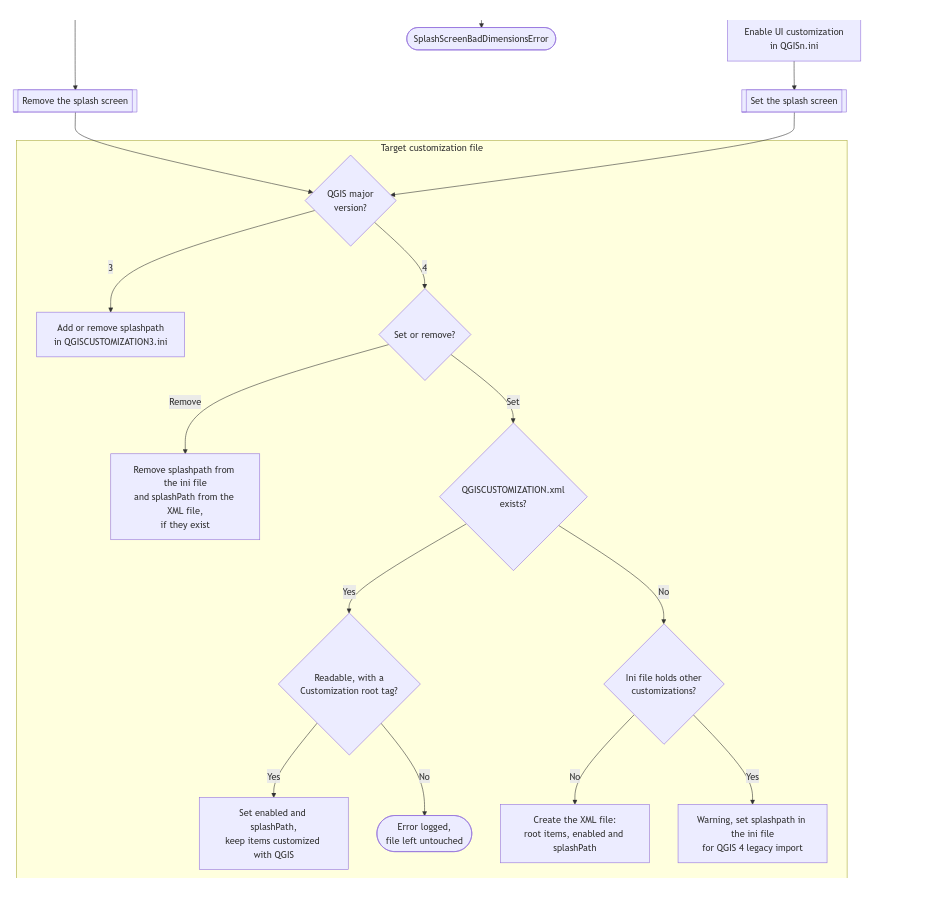
If you want to know more about how QDT deals with the different QGIS major versions (i.e. QGIS 3 and 4), get a coffee/tea cup and read the dedicated page.
Two new repositories
To help you get started and to ease testing, we (mainly @florentfougeres) created two repositories in the qgis-deployment organization:
- qdt-examples-qgis-profiles: demo QGIS profiles ready to use for testing and reference. For now, a “light” one and another one dedicated to the QGIS User Conference in Laax next week
- qdt-examples-scenarios: a ready-to-use demo scenario that deploys the profiles above.
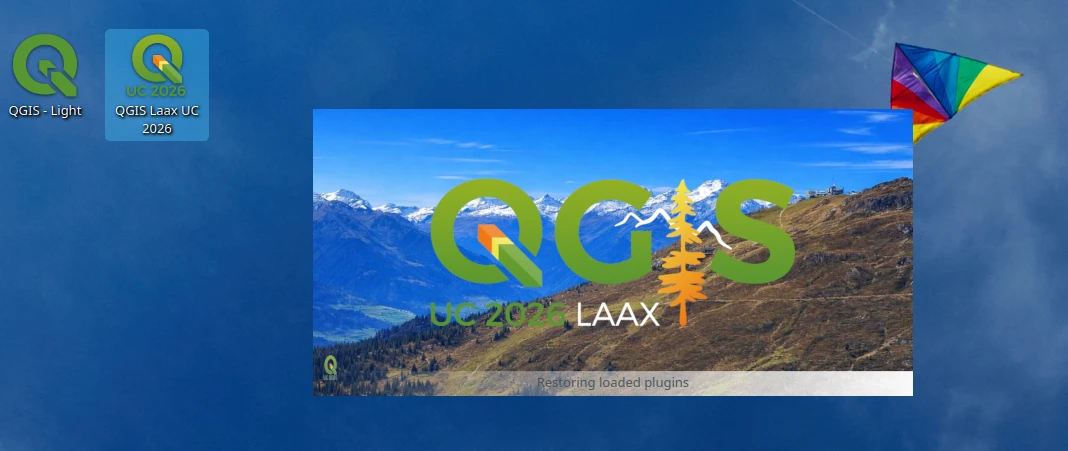
How to get the Laax profile
If you use pipx, it’s deadly simple:
pipx run qgis-deployment-toolbelt -s https://github.com/qgis-deployment/qdt-examples-scenarios/raw/refs/heads/main/scenarios/scenario.qdt.yml
If not, you should  !
!
Joke apart, take tour of the quickstart: https://qgis-deployment.github.io/qgis-deployment-toolbelt-cli/index.html#quickstart
Installation & Upgrade
Get started with 0.47.0:
# if you use pipx
pipx upgrade qgis-deployment-toolbelt[completion]
# if you use pip
pip install --upgrade qgis-deployment-toolbelt[completion]
# using the .exe
./qdt.exe upgrade
Special Thanks 
This release was mainly funded by la métropole du Grand Lyon, who continues to support the QDT development and developed by Oslandia. Thanks also to @nicogodet for the review.
Have questions?
Check out our documentation, open a topic here, open an issue on GitHub or join us in the QDT matrix channel.
Happy deploying! 